
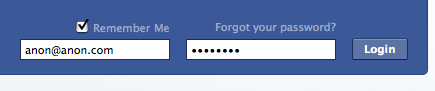
No matter what I did I couldn’t log in to Facebook today. I’d enter my email address and password but it would keep returning me to the login screen.

I knew I was typing my password 100% correctly so I thought it might be a strange cookie or cached file problem so I cleared Safari’s history, quit and restarted Safari but the same thing kept happening.
I thought Facebook might be having an few glitches but I opened up Firefox and it logged me in straight away.
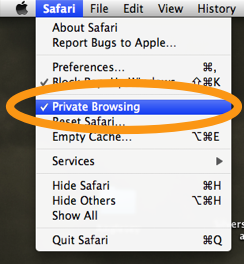

After lot’s of hair pulling I finally found the reason I couldn’t log in to Facebook using Safari and I’ve been kicking myself for not realising sooner….I noticed Private Browsing was activated in Safari. My computer gets used by a variety of people during the day so when I come to do any online banking I sometimes turn on Private Browsing and am normally very good at remembering to turn it back off. However, on this occasion I had forgotten to turn off Private Browsing and that was the cause of Facebook failing to login and constantly cycling me back to the login page.
I know this seems obvious once it’s pointed out, and other sites sometimes pop up warnings stating Cookies are not enabled, etc which would normally prompt you to check Private Browsing options but Facebook give’s no warnings or errors in a pop-up or on the re-loaded login page.
I have since turned on Private Browsing and tried to log in to Facebook and it worked fine, so I’m not sure why it wasn’t working before but turning off Private Browsing was definitely the cure.
maybe you can help me… my problem is that when im log in to facebook and i turned on the private browsing option, in a few seconds facebook will log me out and will tell me to log in again plus those profiles or other stuff that i check in facebook still appears in safari’s history. seems like it’s not working right? or i dont know what’s goin on
My ex wife did something to my facebook. How can I get all my stuff restore
Yeah, my Private Browsing wasn’t even turned On (and I’d never even heard of the thing before!), but I turned it On then Off, and now I can login. Huh.
I could not log into Facebook with Safari, and it worked fine on firefox. For me, the fix was turning ON private browsing? Go figure.
Thanks for this! I was having exactly the same problem…doh!