

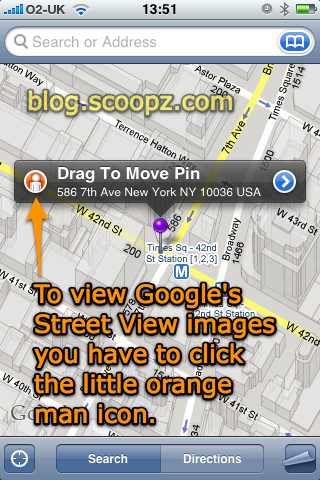

I tried switching from Map->Satellite->Hybrid view, zooming completely, turning the iPhone into landscape mode, nothing. Then I accidentally clicked on the little orange man icon on the push pin I’d dropped and presto, street view!
Just thought I’d put this brief blog entry up for anybody trying to figure out how to access Street View, now I know where to click it’s easy, but I wouldn’t say it’s one of the most obvious places to look.
If you’ve just finger dragged to an area you want to see Street View for it looks like you’re going to have to Drop a Pin in order to get the little orange man to click on.
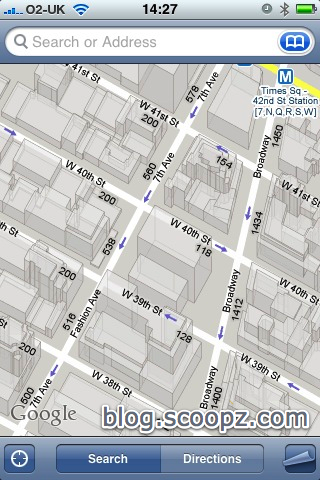
PS – I also like the new 3D buildings in normal map view, nice little touch.
thanks a bunch for this I had been looking for ages how to access
I know this isn’t the right place for this message but Firmware 2.2 fixes the Address book / bluetooth problem in BMW and Mercedes. So all of you who have added the 2000 fake contacts, it is now safe to remove them.
And the BMW sync issue is fixed – without any need for 1000s of blank entries or anything! At last!
@Leny Cato – Thanks 🙂 you might only be the second commenter on this page but believe me you’re not alone in struggling to find out how to access street view. This page has had 100’s of unique visits from all-sorts of Google queries:
“How to access street view iphone”
“how to view street maps iphone”
etc
I know I’m an Apple afficionado but having to click the little icon to access street view really is one of the worst user interface designs Apple have released to date.
I’d be very surprised if they don’t add a “Street” to the page that already offers “Map” – “Satellite” – “Hybrid” -“List” view options.
Scoopz (Admin)
Ta very much, I’ve been trying to get it for days, till I googled and found your blog!
Thank you so much for showing me how to access Street View! I was beginning to think my phone hadn’t updated properly.
Thanks again!
Dan