

UPDATE – *FIXED* – It appears we’ve found a fix that will get all your contacts showing up on the iDrive again. You simply need to add 2000 fake contacts to your iPhone. There are detailed instructions, vCard/CSV files available to download and step by step screen shots in a new post here – Fix for Fix for iPhone and BMW iDrive address book not synchronising.
UPDATE (18th August 2008): There’s a FIX!
Looks like we’ve found a fix for this that involves creating a large number of fake contacts on your iPhone. Mine started working when I sync’d with my Exchange server and 2500 new contacts appeared on my iPhone and at the time of writing this 3 out of 3 people who tried the fix have reported back with success. Click below to jump to the relevant place in the comments and read a few above it from Vants and Rajesh too for more info:
iPhone and BMW iDrive address book sync fix
You’ll need to download this file to automatically add 2000 empty contacts to your address book:
DOWNLOAD 2000 fake contacts vCard [2000 unique names, 2000 identical numbers]
UPDATE (18th August 2008): ****FIXED***** ****NOT FIXED*****
Apple have just released iPhone 2.02 update and I’m currently downloading it. Hopeful that this update will finally fix all the iDrive address book issues, watch this space…..I’ve just got back from testing 2.02 with my iDrive and finally, it’s working again! (iPhone 2.02 fixes BMW iDrive contact syncing)Sorry guys and girls, it looks like a was a little premature on this one. My contacts DID all show up on the iDrive screen and I scrolled through, jumped from A-N-W-etc and I came in to get the camera for a few shots for this article. When I went back out, my iPhone paired but after a long wait screen there were NO contacts shown! I removed both pairings, powered off the car and the iPhone and tried again but still nothing. I then updated my friends brand new 3G to 2.02 and tried syncing that (which has never been seen by the car before) and it paired but still no contact sync.
UPDATE (6th August 2008):
If you are affected by issues relating to the iPhone pairing with your BMW bluetooth please spare 2 minutes to complete 13 questions about car year, model, iphone version, etc.:
Online Survey – BMW / iPhone pairing issues
UPDATE (5th August 2008):
Apple have just released iPhone 2.01 update but don’t get too excited, it doesn’t seem to resolve any of the BMW iDrive issues.
I downloaded the 240MB update, waited patiently for the iPhone to backup, update and then restore and then nipped out to my car (at 1:30am) excited to see if it worked…NOPE….seems Apple thought better of it than to help us BMW drivers out. It still doesn’t sync the address book with my M5’s iDrive.
I deleted both pairings and then repaired, gave it plenty of time to search for and sync contacts and it still shows no contacts available.
Thanks Apple!
UPDATE (18th July 2008):
I’ve had an email from Apple about this issue but unfortunately:
********************************************
THE INFORMATION CONTAINED IN THIS
MESSAGE IS UNDER NON-DISCLOSURE
********************************************
so I’m going to play things safe and not simply cut and paste their email on my blog but let’s just say if I owned a software company I would most likely only send out an email in response to a bug report if I was aware of the reported issue and getting engineers to look into it.
Summary:
OK some bad news for all iPhone owners (original and 3G version) if you drive a BMW that has an iDrive; in summary the iPhone 2.0 software stops your BMW iDrive from seeing your iPhone’s contacts list.
IMPORTANT – If you are affected by this issue, which many seem to be, please submit a quick feedback/bug report via Apple’s iPhone feedback form. The best thing to do is to post your iPhone version, car make, model and year as a comment to this thread then copy and paste the same to the Apple Feedback form. The more feedback Apple get the more likely they are to bring out 2.01 fixing the issue.
In Detail:
The original iPhone running all versions up to and including the latest 1.1.4 would connect to BMW’s bluetooth perfectly and then all your contacts would appear on the iDrive display for you to scroll through or better yet voice-dial if you had that as a factory option.
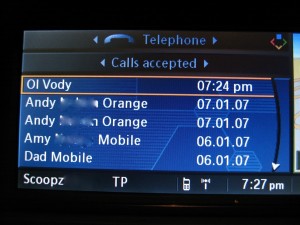

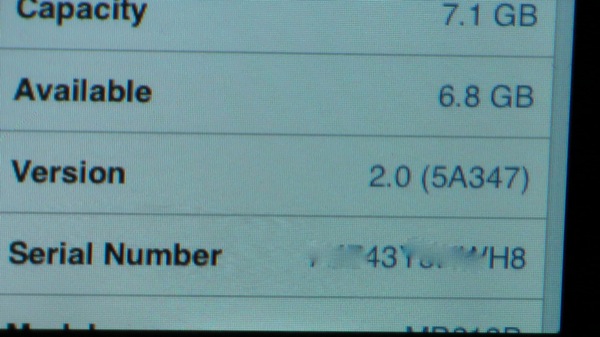
I have just downloaded and installed iPhone 2.0 onto my original iPhone (yes 1 day early so it might not be the official version i know – it’s showing as version 2.0 5A347) and went out to the car (2006 BMW E60 M5) to check the compatibility with my iDrive via bluetooth.
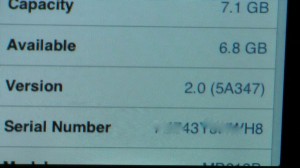

I really wasn’t expecting there to be a problem, since BMW actively advertise they are working in partnership with Apple to make the iPhone integrate with iDrive and since there’s not been any hardware change as it is my original iPhone that has always worked with iDrive from v1.1.2 to v1.1.4.
BMW also sell the iPhone snap-on adapter for the iPhone (see this earlier post: Official BMW iPhone snap-in adapter / cradle [PICS]) so it’s in their interest to ensure the iPhone remains compatible with iDrive.
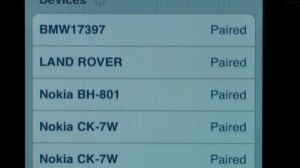
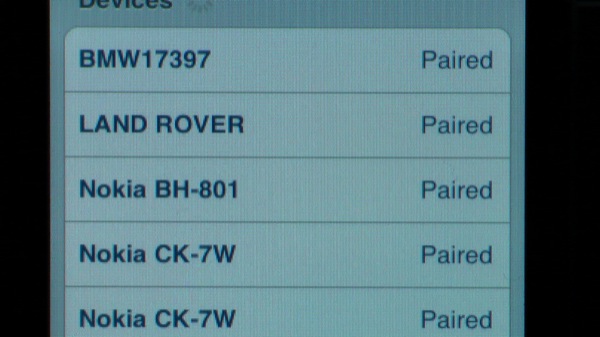
I turned on the ignition and at first I thought I’d have to pair up the phone again having had to update the software and restore a previous backup. To my surprise when I checked in the Blueotooth menu on the iPhone, all my old paired devices were still there and sure enough it connect to the BMW bluetooth automatically. I waited until the signal meter appeared along the bottom of the iDrive screen showing the pairing was successful and then I opened up the iDrive communication page to list my A-Z of contacts and they all appeared…briefly!
After my initial relief that iPhone 2.0 didn’t “break” anything in the way of BMW iDrive to iPhone contact syncronising, I slowly realised that the initial list it shows is a cached version from the last time the phone was connected and then the little clock timer appeared indicating it was searching the phone for new/modified/deleted contacts to refresh it’s cached copy. After about 20 seconds it was done and I was presented with a BLANK A-Z, it had wiped them all off the iDrive.
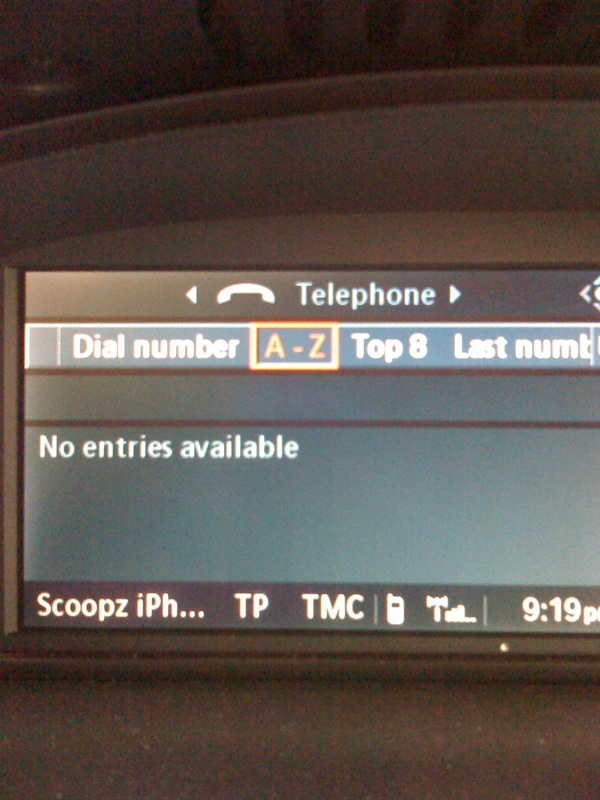

I decided to start from scratch and removed the pairing from the iDrive bluetooth menu and from the iPhone bluetooth menu. Then I began the setup new phone procedure on the iDrive to connect my iPhone as though it was a new one. iDrive went into bluetooth visible to all devices mode, iPhone found the BMW bluetooth, paired, asked for passcode, 0000 on iPhone, confirmed 0000 on iDrive and connected.
It showed a “Please wait…” message along with that damn annoying clock timer icon again as it browsed the iPhone to suck all the contacts out of it. It returned NOTHING. The A-Z was empty. I tried voice-dialing from the BMW voice dial button, feature not available.
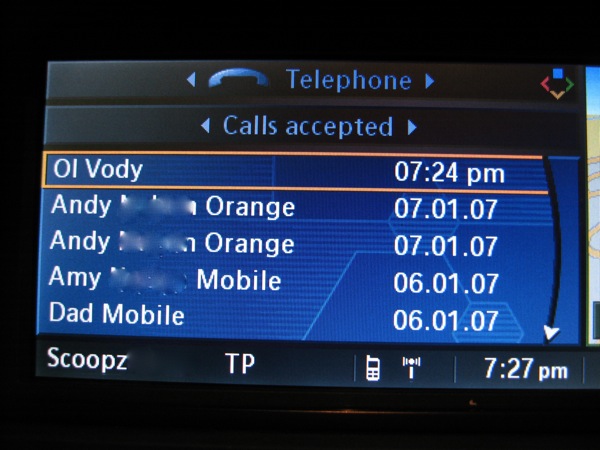
When the phone rings for an incoming call it shows the you number on the iDrive display but doesn’t link it with the name in the contacts. If you have the iPhone in your pocket and want to call somebody, unless you’ve received a call from them recently so that they’re in the iDrive recent received list you’re going to have to get the iPhone out your pocket, unlock and find the contact the old fashioned way.
This is really bad news for those in the UK and other countries where not only talking on a mobile whilst driving is illegal, but where even touch your mobile whilst driving carries fines and penalty points. I’ve gone from being fully legal with hands-free voice dialing to illegal overnight, thanks Apple!
Please use the comments section below to post your findings stating your car model and year plus your iPhone version. If you have other cars that sync the contact list (Mercedes? Audi? etc) then post your results for them to for others to see.
UPDATE (14 July 2008) – The following is an extract taken from BMW’s official website, I’ve taken a time-stamped PDF copy (download here: PDF copy of BMW website stating iPhone address sync) just in case they ever try to deny they said address book sync’ing would work:
It’s the kind of innovative forethought you expect from BMW: the Apple is compatible with most BMW models from day one. The communication and music functionalities of the Apple iPhone can easily be operated with the in-vehicle control elements and displays.
All you need besides the Apple iPhone to make a call, listen to music or access your address book in a BMW is the USB/audio interface and a suitable mobile phone preparation with Bluetooth interface. Enjoy your Apple iPhone and your BMW in parallel, for the sheer pleasure of both worlds.iPhone is a trademark of Apple Inc.

@Everybody – I have just posted some more detailed instructions for Apple and Windows users on how to correctly add the 2000 contacts, screen shots, etc.
With 401 comments this post is now a little too long so I’m locking down the comments, please leave all comments on the new thread which you can find here:
Fix for iPhone and BMW iDrive address book not synchronising
Scoopz (Admin)
Scoopz,
It has worked with my car, I have a 2006(56) 330d msport touring with idrive. If the 2000 contacts have appeared on your contact list as well then I know I’ve managed to do it properly. Thanks to everyone who has come up with this fix, why couldn’t Apple and BMW be that switched on.
@ATCO – I’ve already typed up a detailed description on how to import 2000 contacts for both Windows and Apple users, it’s saved as a draft blog entry so far so not visible to the public, I’ve done all the step by step screen shots I just need to put them in the right place. Check back here tomorrow and it should be up, I’ll try and remember to drop you an email when it goes live. Don’t worry too much about it appearing in the same folder as your main contacts, that shouldn’t be a problem and in fact that’s how mine is currently.
@samps – sorry to hear it’s not worked for you, it doesn’t seem like it fixes it for non-iDrive users.
@JoaoFN – Previously you had no contact list BUT it showed the name of the incoming caller!!??? Very strange indeed. Try rebooting the idrive (hold down eject and both eject buttons, unpair your iphone from the iDrive and iPhone menu’s, connect your iPhone to iTunes and change your iPhone’s name (from Joao’s iPhone to Joao iPhone 2 for example) and then force reboot the iPhone (hold down power and home button for 10 seconds). Now go out to the car and try pairing again, when it’s starting to pair keep the iPhone awake by scrolling through the contacts on the iPhone. When the “please wait” disappears from the iDrive mine shows “no contacts available” for about 5 seconds before suddenly popping them all up.
Scoopz (Admin)
Hello everybody. I have a 3G Iphone and a BMW 520d Touring 11/2007. After buying the iPhone (my first) I also bought the snap-in cradle. Initially I had 608 contacts on the iPhone, and it worked very well in the car, except for no showing the contact list on the iDrive. However, when somebody from the Contac list called I could see the name on the iDrive. Following this thread I added 2000 zcontacts in the Outlook (1 at a time…), unpaired and repaired, and nothing! Even the caller id I had before was lost!! I will now delete the 2000 fake contacts and see if I can recover the contact list caller id. What else can I do? Thanks a lot!
Please help! I have tried the various methods for getting the 2000 contacts onto my iphone and have managed finally to get them on the phone. The problem is that the 2000 extra contacts have appeared on my contacts list and not in a separate folder. Could someone please explain, in a step by step manner how to do the whole process from the start for someone using Outlook. Helpful as all the posts are its really difficult to track what is the actual proven solution.
Cheers
I tried this (vants’ 2000 contacts) on my non-idrive 2007 E90 335i. Removed phone, repaired, and still nothing.
iPhone 3g, 2.1.
When the 3G snap-in-adapter is made available, will the iPod function on the phone connect with the i-Drive. With 58 3-Series Coupe I needed the BMW cable (USB and AUX lead) for it to work with the USB connection. You won’t be able to connect any leads to the iPhone once it’s in the snap-in.
Thanks for that Scoopz but havn’t got idrive just a professional radio
@PeterM – follow MadeUpNames advice and see if it makes a difference. The very FIRST time I noticed my contacts had sync’d was a similar situation to you, it normally shows ****** is calling but I forgot to phone my girlfriend back and she called me, I looked at the screen showing her name and thought “uh-oh I’m in trouble” then I thought “hang on, how come it’s showing up the names all of sudden”. Needless to say I didn’t answer the call just so I could go and check the A-Z listing and they were all there.
A little thing I noticed was that once an iPhone is paired, it shows the iPhone name which you set in itunes at the bottom left of the iDrive (e.g. Scoopz iPhone). If you change that name in iTunes it does not get updated on the iDrive, so it has cached it somewhere in the iDrive along with what else I do not know. The only way to get the iDrive to update the name displayed was to delete the pairing and then repair.
When I was doing all my testing a few weeks back I would always delete all pairings on the iPhone and car and then change the iPhone name in iTunes to make sure it tried to get a fresh copy of everything off the iPhone. So you may see in some of my screen shots “1stiPhone”, “2nd iPhone”, etc as I simple incremented each time.
Also try doing a CCC (iDrive reset) to see if that changes anything. Press the volume knob in simultaneously with the two eject buttons on the dash (E60’s have 2 eject buttons if you have satnav), the iDrive screen will go blank, it will spit the discs out but keep holding all three buttons for 10 seconds and then it should pull the discs back in and reset the iDrive. Nothing actually get’s wiped information wise, all your presets, etc will still be there. IIRC it just has the same effect as leaving your car powered down for a few hours and completely kills power to the iDrive for a few seconds.
Good luck.
Scoopz (Admin)
@PeterM – I *think* the BMW memory bus can take anything up to 45 minutes to clear out. It may be worth deleting your phone from the car, unpairing the car from the phone and leave the car to “go to sleep” – ie don’t drive it, turn the key to any ignition stage (or insert if button start), don’t even unlock it…… perhaps this is easier to do overnight.
Then try pairing up again.
Unpaired phone from car this morning and deleted phone from car. Repaired, then scrolled through contacts for 5 minutes to give them time to talk to one another. Result, no contacts available.
Then travelling to work the phone rings, giving the name of the person calling. I had to accept the call, then talked through the car radio.
How did the car know who was calling when there are no contacts available?
Iphone snap in for 3G will be released somewhere at the end of the year as far a i know ….
What am i doing wrong ? The contacts fix seems to work with most of you guys ?
Does anyone have any information about a BMW snap-in-adapter for the iPhone 3G, not the snap-in-adapter for the original iPhone which I already have.
excellent work. 2g iphone 2.1 nov 06 335d coupe. thank you, thank you
Works for me too! Thanks guys! Before I could connect and make calls without a problem but my address book wasn’t syncing. 2000 contacts later (but same # for each contact) it all works. and I only see one fake contact on the iDrive, so no huge list to sort thru!
for the record:
phone: iPhone 3G ver 2.1
car: 2006 750 with iDrive
Fantastic. Works with my March 07 535d (E61) Touring and iphone 3g 2.1.
@vants . bluetooth is working, i had my HTC Touch Cruise connected to idrive which worked fine.. that what makes me so angry 😉
At the moment i don’t live in the UK – i live in Germany. My last hope though is the idrive fw update next week..
@Soundman56 & @MadeUpName – Glad to hear it worked for you both, I think we’re at approx 95% success rate so far, including one or two others reporting back from other forums.
@Chris – Follow vants suggestion and try and borrow a bluetooth headset and check your iPhone’s bluetooth is not malfunctioning, or try a friend’s iPhone with the car. There are rare cases of iPhone bluetooth modules being at fault. As a last resort (as it takes a while), try restoring your iPhone firmware using iTunes, it should take a backup of all the iPhone settings and restore them back onto it once its done. Have you ever had any joy connecting any phone (Nokia, Sony, etc to your car?).
Scoopz (Admin)
@vants…. success…. thanks guys for figuring this one out. Just got my car back and yes all is now well.
Phone: iPhone 3G software vers 2.1
Car: Oct 2005 M6 iDrive with software vers 27
Chris a good way to test if your bluetooth is working is to get your hands on a bluetooth headset and see if you can connect to it. Any headset will work. As a last resourt where abouts in the country are you. I am sure some kind citizen would lend a helping hand.
hm i think mine is not transmitting … at least i think so
Should have added that I had to re-pair the phone with the car to get contacts to appear..
Just tried the vants method with 3G Iphone and 2006 730D Sport and although it took about 5 minutes “transmitting data” I now have my address book working as it should.
You guys are brilliant !! Many thanks
hm thats exactly what i did. But it keeps disconnecting when i go to the Contacts on idrive
@Chris – It doesn’t make a difference if you have them in a separate folder really, I just suggested putting them in a separate folder for neatness, that way you can easily delete the group/folder containing the 2000 contacts should you need to.
Regards the pairing, I personally didn’t even have to repair but would recommend it just to make sure the car tries to get a fresh copy of the contacts off the iPhone. Delete the pairing from the iPhone and from the iDrive/stereo and then repair and wait. Make sure you keep the phone awake when you first repair it, just go to the contacts page and scroll randomly up and down for a few minutes.
Another user reporting success using this method on the m5board.com with an E60 M5
Scoopz (Admin)
hm i think i am doing something wrong …
do you guys have the contacts in a separate folder ?
1) i del al pairings
2) the pair and wait
or are you doing it in a different way
Works for me too! I have a 2G iPhone running v2.1 s/w with a 2007 (Jan 07 build) E61 with CCC (pro nav) and iDrive – pretty sure pretty old BMW progman s/w as old logos and brown rather than silver icons).
Thanks so much for finding and reporting this – at last my iPhone and iDrive seem to be synching contacts 🙂
MadeUpName – I have a 2005 M6 and the 2000 fake contacts works. Both with the 3G iPhone and 2G iPhone running Firmware v2.1
2008 on a 58 plate, its a brand new car.
iPhone 3G is v2.1
Question to MadeUpName
What year/reg was the 320i coupe?
@James – Can I suggest updating your original iPhone to v2.1 and try and see if that makes any difference. So far I think all those reporting back with success have been using v2.1.
@PeterM…. The 320i Coupe I have borrowed only has Prof Radio and YES the 2000 fake contact solution worked in it this morning.
MUN
dosent work for me 2006 320 idrive 2g firmware 2.0….
Guys, this is great!
I’d almost given up hope of ever getting this fixed when v2.1 didn’t offer anythng to resolve it.
Thanks to you all for putting in the effort.
(imported .pst file, synced itunes, re-paired phone and ’06 330D = contacts list available)
my bmw dealer just told me that iphone was supported form Version 1.2 upwards, but we knew that already …
fun thing is that the bmw dealers themselves don’t even know what was changed between the different firmware versions ..
so still poking in the dark
getting a new idrive firmware next Wednesday .. hope that helps … ahhh..
i have a Feb 2007 116d with idrive. I keept the phone awake. ( not allowing it to lock the phone ) .. but i haven’t tried scrolling through the contacts. Will try again later… i so hope it works.. its so annoying.
@PeterM – Unfortunately my sister’s 120d M sport was the only BMW i had access to that didn’t have iDrive just Prof Radio but I’ve since sold it so I cannot test it for you. I do know that I had problems with the prof radio bluetooth constantly dopping the bluetooth connection though every 30 seconds or so. I didn’t get chance to try >iPhone2.0 with it before I sold it though.
@Chris – 🙁 that’s a shame, what year/age/model is your car and are you keeping the phone “awake” by scrolling through the contacts list on the iPhone whilst it says please wait on the iDrive screen on first connection?
Scoopz (Admin)
it doesnt work with my idrive 🙁 …
will try idrive fw update
Reading the last few posts it seems that the fix (2000 Contacts) works for those who have cars with idrive.
Has any anyone with just a professional radio got their contacts to sync across?
@vants – Thanks for trying to find the threshold for the number of contacts needed to make it work, considering it seems to work for many with 2000, I’m of the opinion “if it ‘aint broke, don’t fix it” so I’m just going to settle with 2000.
I was Oulton Park race track all yesterday so had no internet access, I checked all the comments last night when I returned but didn’t have chance to reply until now but it looks like vants has been holding the fort answering all the queries 🙂 and good work putting up the CSV file and PST file.
To those that it has worked for, congratulations, go and spread the word! I have replied directly to the Apple developer bug report I initially filed on this problem stating there appears to be a work-around. They have since replied stating they have passed all the information to the relevant engineers. So fingers crossed this might get bundled into a future update so we can eliminate the 2000 contacts. I would suggest you also submit iPhone feedback stating that creating 2000 fake contacts on the iPhone gets the iDrive address book sync working again, the more they get the more likely they are to take notice.
http://www.apple.com/feedback/iphone.html
@Mike – Hmmm it seems you have another problem going on, which sounds like an issue I used to have when I had my original iPhone running 1.1.2 and 1.1.4, the bluetooth connection would constantly connect, drop, connect, drop. I could get it to settle down by turning off my wi-fi before I got into the car but when 2.0 came out this seemed resolved for me, and I no longer had to turn off wi-fi before getting in the car. I know of a few people who have had the same problem (AlexAlbrecht from Diggnation spoke about it on his video podcast) and he ended up returning the iPhone for a replacement and he concluded the actual bluetooth in that iPhone was at fault. The replacement I believe worked out ok. Do you have access to another iPhone that you could test it with and does that constantly drop the connection?
@J – Glad it worked for you, I think I’ve put more time into researching this than doing my real job recently, but thanks also to Rajesh and vants for putting time into the research and testing. Rather than a public service award you can always click the link in the left bar at the top of the blog to buy me a coffee 🙂 thirsty work this bug testing for Apple!
I will very shortly be creating a new post detailing the results from the above comments and a summary of how to import all the contacts into OS X and Windows with links to download files, etc with some screenshots and perhaps a video or the correct procedure to re-pair with iDrive as a few have requested. When this post goes live I shall lock down the comments on *this* post and continue with comments on the new post.
Scoopz (Admin)
An update…. Whilst my 2005 M6 sits at the dealer whilst we are arguing over who pays for the re-programming…… The dealership leant me a 2008 320i Coupe. I connected my 3G iPhone to it and was able to make and receive clear calls, (same as the M6), I could also, using voice commands, save names and numbers and make calls (can’t do this in the M6) but I was unable to browse the address book.
HOWEVER, having uploaded the 2000 fake contacts to my iPhone, the address book now shows up on the 320i. This is looking hopeful for my M6 🙂
Great work fellas.
same here, imported the contatcs , but iphone keeps droping its connection.
What i did until now :
Importet vants contact list into a z_contacts folder in outlook 2003.
synced with the iphone
delted pair with bmw
repaird iphone and waited
after a time connections start dropping again
Guys my problem has always been the one where the phone connects but doesn’t stay connected and keeps dropping and re-connecting. A lot of other people have this same problem.
To those that now have the phone syncing up did you never have this connection dropping problem?
Cheers
Just tried the fix and it worked. Imported the 2000 contacts to my Address Book (Mac OS X), synced to my new iPhone and it has now (finally!) paired with my 2007 BMW M5.
THANKS!!
J
My phone never used to drop connection even though the contacts didn’t work – so maybe its your software version on iDrive? I have an Aug 2008 upload which must be fairly recent. Mind, before I bought the car it had the old brown screen (probably original idrive software) and that didn’t seem to drop connection with 3G iphone either.
It works :)…. thanks .
BMW 5 series 520d June 2006
Iphone 3g 2.1
Exchange server
cheers
J my phone doesn’t stay connected for that long. After about 30 seconds the connection drops just like it used to.
Could someone please post a step by step guide to pairing the phone incase I’m doing something wrong
Cheers
Guys, great progress… after the ‘vants’ method, and re-pairing, got all te contacts to appear on my idrive, only problem is that it tage it with the apple type of name field, i.e Main, Other Mobile etc… the voice assit was crap at understanding me before on my nokia, its unusable now….
Will keep working on it though, and thanks so much for your persistance and find a solution…
mike96
it took a good 3-4 minutes for it to sync – maybe you aren’t waiting long enough before fiddling? I nearly gave up too early.
(I used the .pst file, into Outlook, synced in iTunes)
Scoopz
Works for me! 2006 330d Touring with prof nav and BT
Very impressed with your efforts to get this working – you are an official internet hero. There should be some sort of public service award for your sterling work.
Cheers
Guys this defo isn’t working for me. The new pairing simply goes into it’s normal cycle of dropping the connection then reconnecting. I have 2000 plus my normal contacts.
Can anyone pleeeeeease help
All is working!! I have an iPhone 2G with firmware 2.1 and a BMW 118d 10/2005. Imported 2000 contacts to Outlook 2007 and synced. After new pairing my BMW showed full Adressbook with numbers. Thanks a lot!!!
@vants — Thx, working now. Import to Outlook too, thx- Will try out wether it work soon.
Sorry guys just hit the link. I have REMOVED the password.
http://public.me.com/m6centurion
Password doesn’t work for me either
@vants … not working … at least when i try to log on …
Sorry about that:
THE LINK IS:
http://public.me.com/m6centurion
username is Public
password is bloodybmw
sorry to bother again, but whats the login user name ?
Chris and anybody else that needs assistance. I have uploaded 2 files one is a ‘CSV’ file and the other is a ‘ZIP’ file and in the ‘zip’ file is a EXTRA.PST file.
So if you are using Outlook just dowload the ZIP file UNZIP the file.
Then go into outlook and select import from ‘PST’ file.
It will automatically create a new folder and import the z-contacts.
THE LINK IS:
http://public.me.com/m6centurion
password is bloodybmw
@vants
As you said that z1150 was the only fake contact that appeared, could it be that 1150 + Your Real Contact Count is the magic number that the iDrive needs?
That would suggest that the number of fake contacts will vary by user.
I can’t wait to try this!!!! – As it happens, my 2005 M6 is in the shop today. I am trying to persuade them to do a software upgrade (I’m on iDrive vers 27 and 31 is the current vers) but they say I should pay them and I am saying I shouldn’t 😀
I’ll post back when I have tried the solution.
BTW: Your point regarding duplicate phone numbers meaning a contact isn’t shown is an old bug with BMW’s. I reported this to technical (BMW) 3 years ago, its not an Apple issue, its iDrive….. for example…..
You have 3 contacts at the same company in your address book. Each have the same switchboard number as their work number, a unique home phone number and a unique mobile number. If the switchboard number is set as the default number for all three contacts, then ONLY the first contact entered in the address book will show. The work around for this is to simply set a known unique number as the default number.
MUN
Thanks vants, but i must be doing something wrong, i get the contacts into Outlook but they are all blank, no name no number.
I tried mapping, but it doesn’t seem to work
Right I have played around with the number of fake contacts and here is what I did.
Imported 500 fake contacts went to the car and it worked but I noticed that the same z-contact was on the screen so the car did not refresh the contact list. So I waited for a few minutes and they all disappeared. So I unpaired the phone and re connected, NO CONTACTS.
Second go I imported 1000 contacts, this time re-pairing the phone, NO CONTACTS.
Third time, now I’m getting bored, went back to the 2000 contacts and everything is working again.
So I think the magic number is between 1000 and 2000 so my advice is let’s not worry about it and stick with the 2000. Again I kept the same phone number which means the iDrive thinks I only have one extra contact making a total of 142 contacts on the iDrive and 2141 on my phone.
GOOD TIMES.
Chris creating the file is very easy to do.
Open excel and enter z0001 with a phone number.
Highlight the z0001 and drag it down to row 2000.
I kept the same phone number, so for the number cell do the same thing.
Just bear in mind if you try to do it with both cells highlighted it will change the phone number as well. It’s up to you. When done save it as an MSDOS CSV File.
Scoopz could you post the vcards as Excel file. I am having Problems importing them, outlook only lets me import one vcard at a time … that would take ages
Did you import the vcards in Outlook into the contacts dircetly or did you create another Folder ?
Ahh I think you mean AUTO LOCK. I did think about that and made sure the phone stayed active. After a while it dropped the connection.
Vants sorry I don’t understand what you mean by ‘AUOTO NEVER’
Sccopz I will be the guinea pig. Just trying the same process with only 1000 z-contacts. I will work down from there and let you know the results.
Mike this may not make a difference but do you have your phone set to ‘AUOTO NEVER’. May make a difference whilst trying to pair the phone
just tryied exactly the same thing with iphone 2g firmware 2.0 and bmw 3 series 2006 idrive, DOSENT WORK…2564 contacts of wich 2000 are z contacts…
By the way I have iPhone 3g 2.1 and BMW 2006 520d
Thanks
Guys this isn’t working for me and I’m gutted. Can you check I’m doing everything correctly.
I’ve used Scoopz list of windows vcf cards and imported to Outlook into a ZExtras group. I’ve then synced that group to my iphone. So now in my iphone i have all my normal contacts and at the bottom a list of 2000 Z contacts.
I deleted the pairing and paired again. It connects as normal but after about 30seconds the connection drops off and then continues to drop in and out as previously.
I’m gutted about this. Am I doing something wrong?
When syncing your dummy contacts to your iPhone do you create a new group on the iPhone or just stick them in with all the existing contacts?
havent tried it yet, but will do so later on with my iphone 2g and Outlook, hope this works to,
You guys are awesome. Thank you! I just followed Vant’s method and didn’t even need to re-pair the phone, just had to be patient for a few minutes. As he says, only one of the dummy entries shows up so there is very little downside with this approach.
For the record, I have a 2005 535d with iDrive and a 3G iPhone.
Thanks again. I’m so happy I can use the phone properly (safely) again!
Windows Outlook User?
Try the following:
http://www.scoopz.com/vcards_indiv.zip
Scoopz (Admin)
@Bob – WOW so that’s 3 out of 3 have worked now! Looking good, looking good!
I’ve just submitted a bug report/update to Apple on the matter including links to recent comments by Rajesh, vants, etc.
I’m going to be very interested to see how many others report back that it works, if you are sitting there reading this thinking “i’ll wait for a fix from Apple” just give the importing 2000 fake contacts a try, it’s easy enough to just delete them in one go if it doesn’t work.
QUESTION – Who’s going to be the guinea pig that sees how low you can take the number of contacts before it stops working again, it seems 2000 does the trick, but what about 1000?
Scoopz (Admin)
I just had to try it and IT WORKED!!! FANTASTIC!!!!
I have a late 2006 BMW 325i Coupe with iDrive and Bluetooth and iPhone 3G with software version 2.1
Followed all the instructions with same identical number contacts, loaded them onto the the phone, re-paired it with my car, and after a nervous wait whilst it pulled all the contacts off the phone, they appeared on my idrive screen with only the 1 ‘z’ contact.
Thanks Scoopz, Rajesh, Vants and q96!!
Your dedication, helpfulness, and enthusiasm to solving our problem is what help forums are all about!
@vants – thanks for reporting back. So that’s now two confirmed fixes by adding a load of fake names and numbers.
@q96 – I’ll be interested to see if you have any luck too.
@Rajesh – Thanks, I’m sure it won’t work for everyone but even if it only works for a few people then as far as I’m concerned that’s a few people who can voice-dial safely whilst driving and perhaps one less potential crash 🙂 Well done for being patient enough to test it all and creative in the naming protocols.
Vants has reported that he only gets one of the fake z-contacts appear at the end of his A-Z list on his iDrive and has suggested this might be because he has given all 2000 contacts unique NAMES but all 2000 contacts have IDENTICAL phone numbers. His theory that this might cause the iDrive to only download them all as one and hence speed up the sync with iDrive might be true so I’ve created both files which can be downloaded below.
Right I’ve opened up Address Book on OS X and imported all 2000 fake contacts, I then created a group called “Fake contacts” to put them all in for ease of organising or fast deletion at a later date. I then exported all 2000 contacts into a single vCard file, it comes out at 496kb and 68kb when zipped, you can download it here:
DOWNLOAD 2000 fake contacts vCard [2000 unique names, 2000 unique numbers]


(Rajesh’s Method)
DOWNLOAD 2000 fake contacts vCard [2000 unique names, 2000 identical numbers]
(Vant’s Method)
For those using Apple’s, once you have downloaded the vCard file in the link above its a simple case of double clicking it, Address Book should then ask if you want to add 2000 contacts just click yes. Now before you do anything else create a new group, click on Last Import and select all the entries and drag them to the new group.
Windows Users – I only have windows and outlook at work so I’m not able to test how the vCard file will import but it should import ok, if not let me know and I’ll create another one.
Scoopz (Admin)
Couldn’t wait, just upgraded a 2G Iphone to firmware 2.1 added my 140 contacts plus 2000 z-contacts and it synced with my iDrive all contacts appeared on the screen and this time z1150. I think having a unique number makes a difference but by using the same number allows the pairing and syncing to happen but without tranferring all of the 2000 fake contacts. So as far as I’m concerned this is a great ‘fix’ because I only have one extra contact on my iDrive. I can live with that. Rajesh thanks for the great tip. You may want to try giving your z-contacts the same phone number just to confirm the theory.
GREAT….. It worked for me too.
I made the 2000 contact list with the same name as you z0001 to z2000 (it’s not original but it works) imported it from excel to my contact list.
The only thing, I had to unpair and repair the phone in the car because when I first tried it I had no contacts….
Thanks everybody you are great….
Just for the record I used unique phone numbers for each pseudo contact i.e.
name phonenumber
z0001 0001
z0002 0002
…
z2000 2000
I’m glad to see more people having success with this, but inevitably this will have different results based on the numerous firmware, car , phone combinations.
I’ll check your method that I must agree is much better than mine. In fact I created 3000 contacts but with the same name and that didn’t work. I just added an imported excel contact list as you mentionned and I’ll check.
Things are getting stranger by the minute. I have just added 2000 fake contacts to my 3G iphone ranging from z0001 to z2000 all with the same phone number and then re-synced it with my car. Hey presto all of the contacts appeared on my iDrive. Now here is the spooky bit, only one of the fake contacts appeared on the screen and it happened to be z0828, even though I can clearly see all 2000 z-contacts on my phone. But who cares it’s a bodge and it works. I am going to upgrade my 2G iPhone tomorrow to 2.1 and see if that works too. By the way my car is a December 2005 build with iDrive
@PeterM 🙂 the iDrive is an optional extra on some of the BMW models but seems to come as standard on 5-series and above, and probably 3-series and above.
It is the central dash mounted screen with a rotary controller adjacent to the hand-brake and gear lever.


The alternative is a non-iDrive equipped car, in which case there is not top mounted screen instead all bluetooth connections and contact sync is done through the standard radio interface:


PS – the 1-series in the photo belongs to my sister, £500 for factory BMW bluetooth and I still ended up getting a Nokia car kit installed instead because the BMW kit was as good as useless unless you happened to use a Nokia 6230i and nothing else!
Scoopz (Admin)
@Q96 – If you tried with empty contacts that could be an issue. Of all the contacts I now have from my Exchange server, many only have postal, email or web addresses and these DO NOT sync with the iDrive, the iDrive only syncs with entries that have one or multiple telephone/mobile/office numbers.
Try the same again but this time with numbers in there too against each entry.
I’m just create an excel file now and will then export to CSV and subsequently import into my address book. My plan is to then export those contacts to a vCard file than I can put a link to on here and others can simply download the vCard file of 2000 new *null* contacts and import them to outlook, etc.
Scoopz (Admin)
@Rajesh – Excellent post! You’ve basically just done exactly what I was about to do next, create excel list, export as csv and then import into new group on Apple address book. Good thinking with the ‘z’ prefix to make them appear at the end.
I will try the same, I’ll remove my exchange server contacts and MobileMe contacts, that will leave my iPhone EMPTY of contacts. I’ll then create 1 entry and try and pair, again, keeping the phone awake by accessing the contacts page. I know that this won’t sync the contacts but just want to double check.
I’ll then follow you procedure and add a varying number of contacts via excel export and sync them to the iPhone using iTunes only, so I’ll have NO PUSH contacts on the iPhone.
If that suddenly makes them appear that it may be a “temporary fix” for everyone else and I’ll post the .csv file on here so others can import it into Outlook, etc and try themselves.
It is a little worrying that q96 reported they have 3117 contacts and still no joy 🙁
To make sure I do the same, what were you entering as the phone number for each one? Unique or duplicates?
We’re nearly there……by the time we get a “bodge” fix sorted Apple will have probably brought out 2.2 and fixed it anyway.
Scoopz (Admin)
I’ve been following this thread for several months and have had the same issues as most people. I have a BMW 630 with Pro satnav/ iDrive / voice control etc… (don’t know exactly what version of iDrive firmware). With my previous iPhone running 1.14 everything works fine, but with my iPhone 3G everything connects perfectly (no echoes or wifi interference issues) but none of my address book entries appear. This issue has persisted through version 2.0.1, 2.0.2 and the recent 2.1 iPhone software upgrades. Up to now this has been more of an annoyance to me as there are a few main numbers that I use frequently and tend to use the redial feature.
Reading the recent success Scoopz had with connecting to an Exchange server but varying results based on the number of contacts, it appeared to me that the influencing factor was that Exchange suddenly introduced many more contacts to the address book rather than the Exchange server account itself.
I don’t have access to an Exchange server (although I do have a mobile me account – but not used in this case), so I decided to try adding a large quantity of contacts to my address book. I did this using a simple excel spreadsheet to create a tab delimited file (name \t phoneNumber) with 2000 contacts ranging from z0001 0001 … z2000 2000 (I used the prefix ‘z’ so that it will appear at the end of my other contacts and is less distracting); then imported this list into address book under a group name ‘Extra’. I then turned off mobile me syncing for contacts and synced them manually using iTunes to my iPhone – checking that they did were present on my iPhone afterwards.
After doing all this, I unpaired the iPhone from the BMW and repaired them. This took me to the A-Z screen with the standard waiting message. On the iPhone I went to the contact application and scrolled up and down so that the phone would not go to sleep.
Then after about a minute, finally all my address book contacts from my iPhone appeared in the iDrive screen! I have tested a dialing a few contacts and receiving a few calls and everything looks good so far.
Hopefully my experience here will help some others. If there are any further inadvertent issues that crop up I will add them to this thread.
In fact even with 3117 contacts it doesn’t work. So adding a big amount of contacts on the iphone is probably not the solution (by reading everything here I thought it was one..)
I tried empty contacts (just with a name) that’s perhaps the problem, but I don’t know
Hi, I put 1002 contacts in my Iphone and it didn’t appear on the idrive…
I’ll try to put more this evening to see if something happens..
Sorry to be a bit of a thickie, but what is idrive?
I have a 06 plate e91 touring with bluetooth. The bluetooth connection drops every few minutes then reconnects. I have no contacts showing.
@Scoopz – Just tried the mail2web option and it hasn’t worked for me either, bearing in mind I only set up 1 contact.
Also my iDrive SW was update to the latest version last Friday (3rd Oct).
So it looks like the only thing left that I haven’t tried is to change the Bluetooth HW in the car.
One more thing is there anyway we can get a summary of what works and what doesn’t. For example I have access to a December 2005 3 Series with bluetooth, no iDrive, and my 3G iphone and 2G iphone, both running firmware 2.1 work perfectly. All contacts appear on the single line screen.
So it seems that BMW cars manufactured after Sept 2007 with iDrive work.
Cars with bluetooth and no iDrive work.
Cars pre Sept 2007 with iDrive regardless of iDrive / BT SW version do not work.
I apologise if I am incorrect, hence a summary would be useful.
Thanks
@Les – Just so you know, when my contacts suddenly started working i had both MobileMe *and* Exchange contacts syncing with my iPhone but it only works it I have a large number of contacts on the iPhone.
When I dropped to ~500 contacts the address book sync stopped but works with >2000 contacts so I think there is a magic threshold number somewhere inbetween that needs to be exceeded in order to extend a bluetooth time-out somewhere.
E.g.
There might be somewhere in Apple’s bluetooth code that says similar to:
IF NUMBER_CONTACTS =1000
THEN BLUETOOTH_TIME_OUT = 120SECONDS
If I can find out if the above (psudo-code) is true then perhaps I can submit the information to Apple and they might be able to alter the code for future updates, or some of the jailbreakers out there might be able to write a patch?
Just to let you all know, 3 days later and all my contacts are still sync’ing perfectly with my iDrive, new entries appear, deleted entries disappear, modified entries change.
I must admit though, with that many contacts on the iDrive voice-dialling is really struggling to identify the names when I say them and searching my iPhone contacts list is very laggy.
Scoopz (Admin)
Guys
Tried all the above solutions including setting up Mobileme as an alternative to exchange server (MAC user) . My car is a 2004 645Ci with original iDrive firmware. BMW will upgrade the firmware for me but have held this back until there is a definite fix by BMW to the 3G iPhone with V2.x updates.
I can accept incoming calls eventually via the handsfree and make calls by dialling the phone number on the phone itself. After a pause the bluetooth takes over the call and from then on its fine. Same on incoming calls …after a pregnant pause the scree on the idrive eventually asks if I wish to accept the call. Push the iDrive and again eventually it connects.
I still have no address book having tried the equivalent to MS exchange fix suggested but using MobileMe via the MAC.
Anyway this is the best site I have found for potential fixes so will keep watching out for the ultimate fix by BMW themselves…who do not seem to be making any comment one way or another…frustrating!
well, lets see how this plays out…
Apple or BMW and now Mercedes! – whatever happens, alot of us are having problems… lets hope they can just sort it out! I’ll wait for next free Apple update to the iphone first before paying extortionate BMW service fees!
For now, I’ll have to back to the fiddly business of putting the sim card back in the Nokia 6300 for long journeys and playing guess the number for short journeys!
eisen – it is a BMW update
bob – this is not an apple issue, if you want this resolved put the pressure on BMW. I note with interest that Merc have the same issues!
agree with eisenb11: The definition of a software upgrade or update should mean improvement, not a downgrade. Apple are always bringing out products which are untested and buggy which need software or firmware updates. Just hope we can keep the pressure Apple to sort this out.
KevinG Wrote
“have been told by the BMW specialist for Bluetooth that the update to enable 3g (v2) will be available this month”.
Will the update be from BMW or Apple?
I’d agree that this is more likely an Apple problem than a BMW one.
If the iPhone Orig worked and iPhone 3G didn’t I’d say it’s a BMW problem because of hardware changes, but… The iPhone Orig worked until the 2.x software then it stopped working for a lot of people.
I have been told by the BMW specialist for Bluetooth that the update to enable 3g (v2) will be available this month.
They haven’t even looked at 2.1 (or 2.2 currently in beta testing), yet.
Thing is Apple think its BMW’s problem, and BMW think its Apple’s fault from what I can gather…
The iDrive interface worked fine with my Nokia 6300 with full address book and voice input function, and with my friend’s original iPhone, but my new 3G won’t play ball.
Apple are always bringing out updates for digital camera drivers, printers and the like, so why not do something to restore the functionality that they seem to have dropped in this latest version, which worked fine before.
Bob, this is nothing to do with Apple. The complexity of the BMW hardware/software is the problem. My wife’s new Mondeo works perfectly using Bluetooth on version 1.1.4; 2 and 2.1 – but I guess it is a much simpler software interface?
Same thing happening to me – late 2006 BMW 325i Coupe paired with iphone 3G with software 2.1 not showing address book. I have Mobileme and push turned on for all my contacts.
I’m really p***ed off with Apple. I certainly do not intend to spend money upgrading the idrive firmware.
I believe it’s Apple’s fault. If it worked pre the 2.0 update then all of those features and functionality should have been kept or improved. Isn’t that what an upgrade / update all about?
I shall be writing to Apple and intend on being a pain in their backsides until they resolve this issue.
I still think this is an issue that BMW and Apple may need to sort out.
Hopefully if we keep the pressure on BMW they won’t try to make us pay for the iDrive software update when the fix does come out!
Thanks for your efforts, Neil. 😉
I also have similar Exchange (web2mail) & MobileMe contact groups, but the idrive is still not showing any contacts at all.
I’d like to import a load of contacts into Exchange, but I’m guessing I need to pay to have that ability.
I’ve tried disabling both the MobileMe & web2mail ‘push’ accounts, thereby leaving the 3G’s contacts empty. I then paired the phone with the car & waited the usual minute-or-so, before the idrive came up with the usual ‘No entries available’, which is fair enough this time. 🙂
So, I then turned on the wireless connection to the router in the house, enabled both the MobileMe & web2mail ‘push’ accounts, clicked on the 3G’s contacts & then watched the contact groups appear on there, but still no change in the idrive A-Z list. 🙁
I tried re-pairing several times, sometimes with one ‘push’ account & sometimes with both, and with none, then 1 & then both ‘push’ accounts synced on the 3G BEFORE pairing with the idrive.
Unfortunately, it has made no difference- all I ever see is ‘No entries available’. 🙁
I may try getting a friend to set me up on his Exchange server, importing a load of contacts & trying to see if this makes any difference at all.
Thanks again for your commitment to trying to sort this problem out, Neil. 😉
All the best.
Viv
UPDATE – For now I’ve just restored my entire exchange address book and let it PUSH across to the iPhone, seems it does this in chunks of 50, I also noticed that what used to be 3500 contacts has since been pruned down by office admin to 2606:


When all was done I went back out to the car and tried again to check I could get them all to appear again. I panicked at first, it showed nothing even after a few minutes. I noticed it kept saying bluetooth disconnected please turn mobile phone bluetooth on….strange, the bluetooth logo at the top of the iPhone also disappeared and then reappeared. I *didn’t* reboot the phone or restart iDrive, instead I simply inserted (more like forced) the iPhone into my BMW iPhone cradle to give it power, I was wandering whether it was having a power struggle sync’ing all the contacts with continuous bluetooth use (also note my wifi was on and it was connected to my home wifi during all this). Once the phone was on charge and the bluetooth logo returned (co-incidentally i think), I left it doing its think and still nothing, then I clicked the Contacts App on the iPhone to open up the contacts page and the little icon at the top between the wifi logo and clock spun round showing it was syncing with my exchange server (?) and then within a few seconds the contacts started appearing on my iDrive again. There were holes in places as it sync’d them all but it was definitely working.
So, I’m now unsure whether having a large number of contacts helps, or whether the phone just needs to be on charge to sync (it never needed power under 1.1.4), or if clicking on the Contacts App forces a quick PUSH refresh with the Exchange server which in turn tells the iDrive to download all the contacts again?
I also think I was incorrect earlier say ALL my contacts were on the iDrive, it appears all my important MobileMe contacts are definitely sync’d but the Exchange server ones seemed fragmented, I wasn’t prepared to sit in the car waiting at this late hour to see if they all appeared eventually but some were missing. This might be caused by some of the exchange server contacts only having email addresses or postal addresses without phone numbers, in which case the iDrive quite rightly does not display them.
I know I should now try reducing the number of contacts on the Exchange server to see if there is a threshold but that might have to wait until the weekend I’m afraid.
Scoopz (Admin)
UPDATE – I’ve just reduced the number of contacts on my Exchange server from 3500 to 10 and waited for that to propagate through to the iPhone and went back out to the car, it paired up, showed all the old contacts briefly, wiped all the contacts off the screen and then showed the waiting clock……finally it said no contacts available! DAMMIT, I tried powering down the car and phone and retrying but nothing, back to square one.
Right now I’ll put just 1000 contacts back on my exchange server and see if that works! There has to be a magic number somewhere that get’s everything working again.
Hang on….
Scoopz (Admin)
@Viv – Damn I was really hoping that would work for you 🙁


When you go to your Contacts on the iPhone do you now see multiple address book sources (i.e. you original iPhone contacts and the Exchange ones)?
Mine looks like:
I’ve also got my contacts set to sort First Name, Last Name but doubt that would make too much difference.
My accounts page now looks like this:


With the lower two, MobileMe and my Exchange server both PUSHing contacts to my iPhone. The top two are simply IMAP email accounts.
Whilst I’m over the moon that my contacts have started working it’s bugging the hell out of my that I can determine exactly why they started working. In a way this is good news, because it means even the older ULFs *can* communicate with iPhones running 2.1 but something must have changed somewhere in the background when I added my Exchange server. Perhaps having a larger number of contacts forces the iPhone to extend a time out somewhere? I’ll remove all 3,500 contacts on the exchange server (backing them up first of course) and see if I’m still syncing.
Gimme 10 minutes.
Scoopz (Admin)
No joy for me with using mail2web, Neil. 🙁
The couple of contacts I’ve created in the Exchange server sync fine with the 3G, but it’s still the same issue after waiting a minute or so for the contacts to show up on the iDrive- none are available.
Viv
Neil, you’ve put a smile on my face. 🙂
I’m going to go & have a play!
Thanks for the email BTW. 😉
Viv
OK so I’ve been doing a little research trying to setup a dummy user on my work exchange server for you all to try connecting to but it was too much hassle securing it all plus I’ve found out you can get the same for free!:
You can get FREE access to an Exchange server using http://live.mail2web.com/
Simply setup a free account using the link above and then click the link below for detailed instuctions on how to setup your iPhone to access Mail2Web’s Exchange servers:
http://lifehacker.com/398526/set-up-push-email-contacts-and-calendar-on-your-iphone-for-free
Once you’ve managed to connect your iPhone with mail2web don’t bother sync’ing emails or calendars (unless you really want to), just sync contacts and create a new contact on the mail2web contact list, check that syncs with your iPhone and then go out and test it with your BMW iDrive.
Please let me know if you have any luck with this.
Scoopz (Admin)
@eisenb11 – I didn’t think many would have access to exchange servers but I’m going to experiment with other ways of setting up multiple address books to see if that’s what caused things to start working.
I don’t think most of us have access to an exchange server 😛
@Everybody:
WOOOHOOOO! – I’ve managed to get all my contacts to sync and I didn’t update the iDrive software and didn’t downgrade the iPhone either.
This thread is getting a little long with 286 comments so far so I’m going to start a new blog post to detail exactly what I did but here’s the summary:
SUMMARY – All I did this morning was finally get round to setting up my work Exchange server to deliver emails to my iPhone using PUSH (ActiveSync), once I had PUSH emails all working correctly I ticked the option to PUSH contacts from my Exchange server to my iPhone. I wasn’t sure if this would over-write the 500 contacts that resided on my iPhone already but that’s what backups are for (plus they were being sync’d with MobileMe anyway), once I turned on PUSH contacts all 3500 exchange contacts appeared on the iPhone. I now had multiple address books on the iPhone, two top levels, MobileMe and Exchange and several sub folders:
1 – Mobile Me (always been there) [500 contacts]
1.1 – Personal (always been there)
1.2 – Work (always been there)
2 – Exchange (new) [3500 contacts]
2.1 – Global Contacts (new)
2.2 – Private Contacts (new)
I setup the Exchange server this morning and just noticed this evening that ALL my contacts, the 500 that have always been there but never sync’d and the 3500 from my Exchange server all ALL on my iDrive.
I know this probably won’t help many of you out there who don’t have access to an Exchange server to try adding but I promise I’ll do some experimenting and see if there is a way to recreate the same result by having multiple address books some other way. If you currently sync contacts with Outlook or simply added contacts to the iPhone directly, try signing up to a free trial of MobileMe and add that as a secondary address book?
I’m not sure on the logistics but if it turns out you have to sync with an Exchange server to get things working is it possible to setup a dummy Exchange server which everyone could connect to but with no write access or email access, just pure address book read-only access with 1 contact in?
If anybody is able to setup an exchange server to PUSH contacts with their iPhone and also finds that their contacts suddenly sync with iDrive PLEASE report back here with results. If this can be reproduced it may be of interest to Apple who might be able to finally get to the bottom of this problem.
I shall start creating a new blog entry now (and post a link here once its done) but it’s late here in the UK and I doubt I’ll get it finished today but I just thought I’d throw out this information sooner rather than later so you lot can get experimenting.
I’VE GOT MY CONTACTS WORKING WITH MY IDRIVE……YIPEEEE!!!
Scoopz (Admin)
Ok. Today I received the invoice. They did not charge me for the update. The update is not even mentioned on the invoice. So I can not tell you anything about the update or versions. I will give my dealer a call next week and try to find out to which version they upgraded my software.
Martin
Word is that iPhone 2.2 beta 1 has just been released to developers. I think 2.1 was in beta for about a month or so before it was released on the public. No idea what 2.2 does, but just a heads up so we don’t all lose hope.
I did request for the update myself with some known arguments (slow or sometimes no response changing audio channels adn very slow browsing the ipod). However I did not metion I have an iPhone 3G.
I haven’t had the invoice yet so I don’t know if they are going to charge it. I’dont think so but I will let you know. Perhaps the invoice will also tell me more about versions etc.
I’ll keep you informed.
Martin
I
@Martin – Thank you for the info, from other reports I’ve heard a BMW software update to iDrive doesn’t resolve it for most people with a pre 2007 car, but it’s worked for you!
I think I’ll bite the bullet and get my iDrive software updated.
I don’t suppose you know what version of iDrive software you went from->to? Any additional info you can squeeze out your dealer (modules updated, etc) would be greatly appreciated.
Scoopz (Admin)
Hi Martin,
Fantastic news. Did you request for the upgrade, and did you have to pay for it? Do you know version / part no they upgraded to?
Keith
Hi everybody,
I was experiencing the same problems (no phone book syncing, dropping calls, connecting and disconnecting) with my 4 weeks iPhone 3G V2.1 and my 335i from september 2006.
However… Today my car has had a maintenace check and they upgraded the software of my professional navigation system and everything works perfect right now. It is even syncing all the phone numbers I have with each contact!
So there is hope (at least for some of us)
Martin
Hi foks,
i also just got my iphone today. Flashed it to FW 2.1 and boom – same problem as the rest of you guys.
I will get the idrive software updated next week. Hopefully this solves the problem. I’ll give some feedback as soon as it is done.
greets
chris
Just bought iPhone 3G 8gb. Loaded 2.1 and put in about 60 contacts. Went to pair my iPhone with my BMW 325 coupe march 2007 build with prof sat nav and b/tooth. All contacts synced and all seems to be working well (touch wood). I was very surprised – I had put in different names than from my previous phone to make sure it did not just remember the other names. Fingers crossed now.
Just updated to 2.1 (original 2g iPhone) and my Jan 07 build e61 iDrive (pro nav) still not working. AAARRRRGGGHHHHH!!!
Not sure what progman version I have (still have brown colours with faint images behind menu items rather than silver)
🙁 🙁 🙁
too bad, sorry guys i hope not too much damage has been done…
@Vants – At least you were able to un-brick it by using DFU mode, I accidently force flashed iPod touch software onto my original iPhone recently whilst trying to downgrade to 1.1.4 and it remained bricked for some time. DFU wouldn’t even play ball to begin with but got it sorted in the end.
I think you’re right about the results being the same if you tried it with your 3G but it was definitely worth a shot. 🙂
Scoopz (Admin)
@Scoopz – It bricked the whole phone, would not go past the Apple logo. I recovered by putting the phone in DFU mode and restoring from there back to 1.1.4. Just to be clear I did the test on the original iPhone not my 3G iPhone, however I assume it will have the same disastrous effect.
@vants – You’re brave, thanks for testing it out and posting your findings though. Out of interest did it simply cause your b/t to faili completely or brick the whole phone? How easy was it to recovery from?
Scoopz (Admin)
Guy I have tried replacing the b/tooth system folder and all assosiated files from a 1.1.4 iPhone to an iPhone running 2.0.2 and 2.1 and it does NOT work.
lol, i know i didn’t dair to try it ,but i think it can be the solution, we have to find someone that knows how to handle that kind of stuff…
@James – interesting article, I was half tempted to actually jailbreak and give it a go replacing the b/tooth system folder BUT having read the last comment on the site:
I think I’ll let somebody else give it a go 🙂
Scoopz (Admin)
lol, phoned BMW , before I bought the Iphone to make sure it was compatable with my 06 335 coupe. Yip but you require a bluetooth upgrade.
Two days to upgrade the bluetooth- and ——- it doesnt work with the address book, tho I still can talk via the blue tooth
scoopz i think u should take a look at this artical http://www.ohpedia.com/2008/02/14/fix-for-113-bluetooth-connection-problem-with-bluetooth-carkits-and-some-bluetooth-headsets/
hello scoopz,
wiyh the 2.1 update the problem has gone. Now my iphone pairs well with my BMW X3 and it stiil works ok after the conection is out.
regards,
adrian
Someone’s going to come on here & say that only Apple can access the bluetooth stack & use it in their own apps, stopping anyone else doing so, aren’t you?? 🙁
Viv
@scoopz: Perhaps we’re all just looking at this problem from the wrong angle?
Does anyone fancy writing an App to allow contacts sync with my car, please?!
I don’t even care if it can’t run in the background, as I won’t be doing anything else with the phone whilst it’s in the car.
I’d rather pay for a good, working contacts sync app, than pay for a Progman update. 🙂
Viv
@Viv – thanks for the input, don’t worry about listing your thoughts on here, its going to be of help to somebody, somewhere.
Regards firmware updating the ULFs protocols, I always thought the difference between Bluetooth1.2 and Bluetooth2.0 was more than just programming/coding. I see it more like the difference between a 2G and a 3G mobile phone. No matter how much Apple try they’d never be able to give the original iPhone any form of 3G capabilities with a software update, the difference is also in the hardware transmitters/receivers. [again if anybody wants to correct me please feel free, I’m no expert on this]
Scoopz (Admin)
As I keep thinking about this, I may as well just write it down, if that’s ok with you, scoopz?! 😉
As some have said, the ULF communications hardware ‘should’ be upgradeable using software modification, in the form of Progman modular software updates.
As J as said, there ‘shouldn’t’ be any reason why a firmware update cannot modify the means by which the ULF hardware communicates with the 3G, using the appropriate bluetooth protocol, should there???
Can anyone say why a software upgrade to the car’s ULF alone, would NOT be sufficient to allow the appropriate bluetooth protocol to be utilised, as a result of handshaking between the car & the phone?
ie Why would a hardware modification to the car’s ULF be needed?
When would a ULF firmware update alone, not be sufficient to allow proper handshaking & contacts sync between the car & the phone?
Do firmware updates to the ULF not make any difference to the bluetooth handshaking nor the bluetooth protocol used between the car & the phone???
Viv
Also, based on the info from the site I’d previously mentioned, it looks like the current ULF hardware used in current builds, is generation 13, produced from May 2007:
http://www.bimmernav.com/ulfchanges.html
Based on my own experience of the test at my dealer yesterday, I know that contacts sync works in a new car with Progman v30.x.x & ULF gen 13.
So, if cars built prior to May 07 are unable to sync contacts, with or without a full Progman update to V30+, then I would think it would be fair to say this is a hardware issue. 🙁
I’m happy to test this out, as soon as I get the PUMA request sorted out. 🙂
Viv
@scoopz: Hahahaha hahahaha hahaha hahaha 🙂
I know what you mean, but for the sake of their customers, you would have thought both Apple & BMW would have included a means of handshaking between the phone & the car to identify which of these bluetooth protocols to use, if these protocols were likely to be an issue between older & newer car builds?!
Strangely, I found the blog below, where an individual has an older 4th generation ULF module in his X5 (end of life 06/04). He says bluetooth pairing was fine & contacts transferred over from his iPhone 3G, but caller ID wasn’t working:
http://www.mydigitallife.us/2008/09/iphone-3g—blu.html
There’s something very strange going on & I just don’t like it. 🙁
Viv
ok ok…o got the point, i’d hate to downgrade back to 1.14 ‘i really like the 2.0 because the games and all….maybe apple wiil make a fix for this sometime…
if things are like u say, i wish we could downgrade just the bluetooth protocol…
@James – I thought the same originally, the only real thing that changed was Apple updating the iPhone software so surely it’s software based and can be reversed but….
Let’s just say that hypothetically speaking there’s two different versions of bluetooth hardware, original v1 and a newer v2. [In theory there are two main ones, BT1.2 and BT2.0].
Now lets say that BMW’s bluetooth modules from 2005-2007 physically only supported v1 but newer ones support both v1 and the newer, faster v2.
Apple programmed up the original iPhones running 1.1.2 and 1.1.4 to transfer contacts using Bluetooth v1 protocols (i.e. it talked in the older language) which worked fine with older BMWs, then some manufacturers came along and said “hey we can’t sync/talk with your iPhones because they only talk in bluetooth v1 protocol and our hardware only talks in v2” so Apple decided to update the software with iPhone 2.0, 2.01, 2.02 and 2.1 to allow devices to communicate with the iPhone using the new protocol, bluetooth v2.
Perhaps, somewhere along the line Apple realised it was not possible to have support protocols for both bluetooth v1 and v2 at the same time and opted to drop the older one which has led to all the problems?
OK I’ve not re-read what I’ve just written above but I’m guessing it’ll make absolutely no sense at all, I know what I’m trying to explain I just can’t explain it very well, let me try and think of an analogy.
Let’s say there is a graphics card that during it’s lifetime had a minor hardware update giving it a differnt make processor but they were still essentially the same speed, etc. The original graphics card (GPU1) works perfectly with Windows XP as does the newer version (GPU2). Then you decide to update your computer to Vista 🙁 and find that Vista no longer supports the older GPU1 just because it’s got a slightly out of date processor that it cannot communicate with, even though it’s essentially the same card as GPU2.
Hmmmm – nope I still don’t think I’m getting the point across well with that anology as graphics card companies are allowed to write their own drivers for Windows…..
Summary – Apple updated the iPhone to communicate in the most recent bluetooth protocol which works with most devices and is backwards compatible but for some reason the backwards compatibility of the BMW bluetooth hardware is questionable and as such the contacts can’t sync and Apple are unable to support both the old and new protocol simultaneously.
I’m dieing here….can somebody else who actually knows what they’re talking about try and take over please!?
Scoopz (Admin)
i don’t get it, how can it be a hardware problem, if the only thing that was changed was the software, something in the bluetooth/contacts was changed…we just need to figure out what…
I agree. I’m persevering with my old phone for the moment in the hope that Apple will fix the problem (surely there must be a lot of people affected by this?) but if they don’t, then I would consider paying for a software update – IF it was GUARANTEED to work.
My car is only 18m old, so I won’t be changing it for a while. I could do with a new phone though…
@Viv & @J – Thanks for the info. I’m starting to think now that the underlying issue looks to be hardware related somewhere along the lines. I’m going to try and get my dealer to update me to the same iDrive/progman version that was in the loan car I had last week which had everything working.
If my iPhone doesn’t sync contacts then the will establish that there is a hardware change (bluetooth/ULF) that is causing the problem.
If that is the case, the question is whether or not BMW can tweak their coding to “bodge” things such that older ULFs with work with the iPhone running >=2.0?
From BMW’s point of view, they state on their site that original iPhones running 1.1.4 will work (and they do!) but will they spend time and money creating a software update for older vehicles? Many people will be in need of the update but how many will be willing to pay for it? If all cars that are currently coming off the production line have a ULF/bluetooth that works perfectly with even the latest iPhone 3G running 2.1 will they concentrate their efforts on developing other areas (like improved iPod intergration, ConnectDrive, etc) and just let cries of those affected by the no-contacts sync issue fall on deaf ears? After all, we’ll probably all be changing our cars in the next 2-3 years anyway according to statistics.
Even though my car is still under warranty, I personally would be willing to pay (begrudgingly) up to the £200-£250 ($400-$500) for an update if it GUARANTEED to sync my contacts with my iDrive with the latest version and all future versions. I make a lot of my calls, both business and personal, whilst on the road and I can put the invoice through my company if I have to but when you look at the cost of the fines, court fees, penalties, etc for using/handling your mobile phone whilst driving in the UK it might just be worth it.
For the record, I would still happily downgrade to 1.1.4 to keep myself safer whilst driving and making calls, there’s not a single iPhone Application out there that I would miss in the short term and I think it is ridiculous Apple won’t offer an option to downgrade.
Scoopz (Admin)
@J: Yes, I am vivekk on E90Post. 🙂
I would also have thought that a software update alone would have been sufficient to allow contacts sync using the appropriate bluetooth profiles on the 3G.
I’m just as confused as you & the senior tech at BMW Cooper in Boldon!
More info about ULF hardware changes is available here:
http://www.bimmernav.com/ulfchanges.htm
Will keep you all updated on the PUMA.
Viv
I wonder if there is a ULF hardware change making the difference here. I had what must be around Progman v30.x-ish put on my 2006 car in late August 2008 by a dealer, but the 3G contacts still don’t sync. It appears above that potentially the same Progman update in an post Sept 07 M3 will make the contacts sync – the differentiator is therefore potentially HW related, unless the upload has different module updates depending on the hardware in the car. I can’t think of a bluetooth hardware implementation issue that wouldn’t be fixable with a software change however, hence that shouldn’t be sorted by the same Progman V30 update? Confused.
Keep us posted on the PUMA Viv.
PS are you vivekk?
@Scoopz- there’s always some hope, however small it may be. 🙂
I was in for an MOT at the dealer this morning (BMW Cooper in Boldon nr Sunderland) & asked them if they could do something about the lack of contacts sync on my iPhone 3G with 2.1 firmware.
I was happy to pay for an update, on the condition that the contacts sync would work.
The senior tech (Graham- thanks for your help, if you’re reading this!) checked the current Progman version (V27.x.x- Sept 07) & compared it to the current version he had available for installation (v31.x.x- 09 Sept 08).
He said there were a few modifications to the M-CCC firmware, but couldn’t see any change in the bluetooth (ULF) module software versions, so couldn’t guarantee the new Progman 31 would give me the contacts sync which I was after. 🙁
As he couldn’t say whether a Progman update alone (as opposed to a Progman software + ULF hardware update) would be sufficient to download the contacts to the iDrive, he’s sent off a PUMA to BMW Germany. 🙁
I’m waiting to hear from them in the next few days.
As I’d have been happy to have just the appropriate communications modules updated, I asked him if that could be done. He said he couldn’t do that- the whole lot would need doing with a full Progman update. He didn’t say why, but I’m guessing there must be some variation in module compatibility between different Progman versions? There again, he could have been talking sh*te. 🙂
I told him about a large variation in contact sync ability, between different builds & software versions of the E9x alone, never-mind the other BMW models. He knew the phone wasn’t on the UK bluetooth phone compatibility list, even though it is listed on the US site.
So, I asked him if I could try it out on a new build E9x with more recent software. There was only an E93 M3 ‘lying around’ with Progman v30.x.x, so we tried it on that!
After pairing, all 200-odd of my contacts appeared on the A-Z list in the iDrive within about 10 seconds.
I’m mad, but hopeful. 🙂
Viv
A follow-up to my previous post re: X6 – I upgraded to 2.1 last Friday. I paired the iPhone 3G(from previous setup) and left the phone in the car over lunch – when I got back….contacts appeared and I am now able to sync.
It appears that not all the contacts are syncing….as I have about 5000, but for the most part, I am now able to see some of the features of the communications module of the iDrive.
I just can’t wait for all of the other features that BMW is working on with Google, Music, Playlists, etc.
I’m sure that the BMW Advanced Tech team in Palo Alto is working with Apple to make needed mods.
T
Finally got around to updating to iPhone 2.1 software, I set the iPhone up as a new iPhone rather than restoring a backup and created a single address book entry – Test 01244000111. I gave the iPhone a name free from punctuation in case apostrophe’s caused any problems (named it iPhone3G), removed all pairings from iDrive and setup as a new device.
It all paired correctly but after a brief “Please Wait” it didn’t show the one and only contact. I powered off the car and the phone, powered back on, both repaired without intervention but still no contacts with 2.1.
🙁 🙁
Scoopz (Admin who’s now given up all hope of using his iPhone with his iDrive ever again, I miss 1.1.4)
@Keith – No there is no way to establish iDrive software version from any of the vehicles menus or any of the hidden engineer menu’s i’ve found but I took some photos to prove that my iPhone 3G sync’d addresses with the loan car.
I’ll double check the hidden menu’s again when I get a chance, I’m pretty sure I remember seeing a telephone page in a hidden menu but it didn’t give up any information:

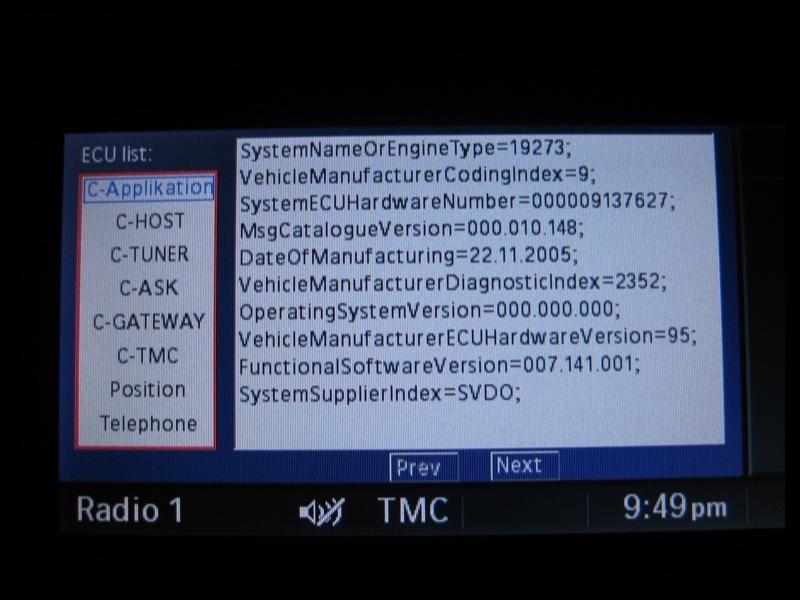

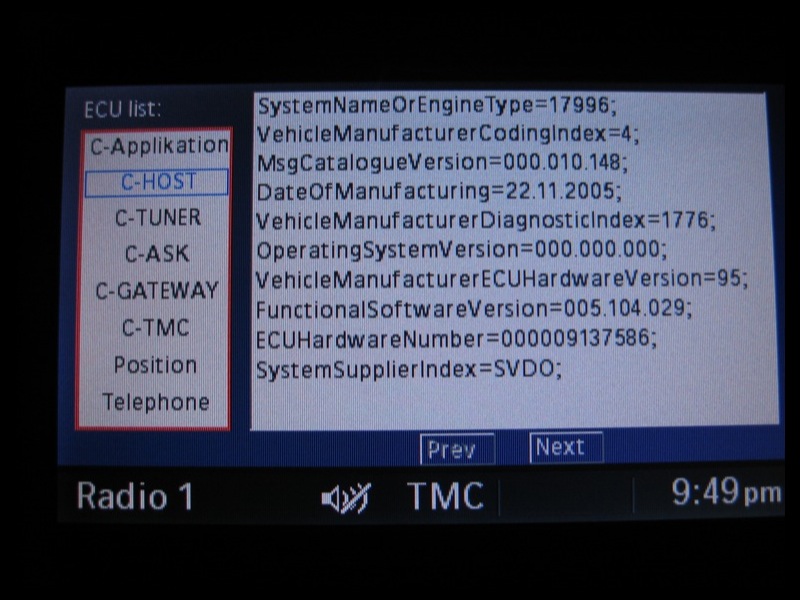

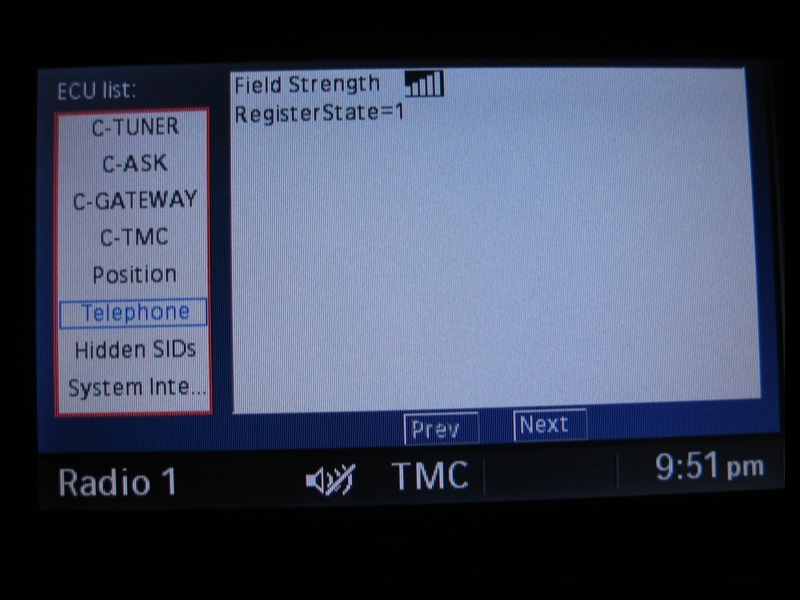
Scoopz (Admin)
@Gavin Sheppard – Yes still here…just! I’ve been away in Ibiza for a long weekend so missed the release of 2.1 and my car’s been in the garage for a week getting a new clutch & flywheel but been keeping an eye on the comments whilst away. I’m now back and picked up my car this morning so I’ll try 2.1 myself this evening but I know from the comments above that it’s not going to work.
@everyone – I spoke at length with my dealer today about the problems with iPhones/iDrive. He seemed very interested in what I had to say, it seems they updated a customers iDrive software to the very latest version for another issue and the customer isn’t very happy because updated the *iDrive* software to the latest version stopped the address book sync’ing. I mentioned that the customer may have simultaneously updated his iPhone software which could be the real reason the contacts no longer sync, if not it would be the first case of a BMW update making things worse.
His only suggestion for me was to downgrade back to 1.1.4 but I pointed out this isn’t too easy and may invalidate Apple warranty. I did accept that BMW are saying the 3G iPhone is brand new and they’ve not had time to test it but I have both original and 3G iPhones along with BMW’s cradle for the original iPhone so I would expect the original one to work at least.
He also indicated that there may be an update from BMW in the coming months but was unsure if it would be offered free of charge or as a paid option. However, when I asked if it is possible to simply update the software for specific modules (bluetooth/communications modules) quickly as opposed to the FULL iDrive updates I’ve had in the past which takes hours and hours and run over night he said that yes, updating individual modules IS possible and much quicker.
I miss my loan car already, at least that had everything working with my original and 3G iPhones running 2.02 🙂
2.1 does seem to have resolved the problems with Chrysler’s uConnect system though, so if you own both a Chrysler and an BMW, you may as well just drive the Chrysler for now.
PS – I gave my dealer this blog address to give to any clients, so if my dealer (in Chester) is reading this, feel free to use my car as a guinneau pig / test mule for updates, etc.
Scoopz (Admin)
Hey Scoopz
Are you still there?!
The iPhone 2.1 update doesn’t fix the BMW sync issues… is there an end to it?!
BR.G.
well the new version of the software seems to increase the dropping of audio on my 1st generation iphone on my 2008 bmw 528xi. Happens daily since Saturday. Having the phone is proving to be useless at this point for bluetooth purpose. Oh, when it works my contact list always downloads completely.
I am not happy…..
@J
Yes I have the full Prof Nav system with bluetooth. The phone syncs contacts perfectly, I can dial as you’d expect to from the idrive menu.
Hi Scoopz,
Is there anyway of finding out what the software version / part number was for your hire car (a brand new 2008 525d M Sport).
I just tried deleting all my contacts on the iphone then created just one contact and tried to resync with the car but still no address book. It just says “please wait” and the does nothing. I have 2007 328i with iDrive and iphone 1G with 2.1 software.
@James L
Interesting, is that with full Prof Nav & BT – and the phone syncs contacts etc.? Or is it a car with just BT, and no Nav?
Cheers
My 3G iPhone works great in my 2005 E60 with and old software version. That indicates the problem is likely to be data related? I exported my contacts from Outlook then imported them to Gmail, then synced with that. Unusual characters were possibly stripped out in one or both of the steps.
I don’t know how easy it would be for someone to remove all their contacts and add in a single simple contact to see whether it works?
@J
Eew, this is going to get expensive if that’s the case. I’ve heard that software upgrades are not cheap when you have to pay for them…
Update…..just emailed BMW UK are this was the reply:
—–
Thank you for your email regarding the Apple iPhone 3G.
We have not yet received information as to the compatibility of the Apple iPhone 3G mobile handset. As this phone was released at the end of July it is still going through extensive testing by our engineers in Germany. Every mobile phone is thoroughly tested and only when found to be compatible will it be added to our Bluetooth list.
The information published on our website relates to the first generation Apple iPhone and is not relevant to the new Apple iPhone 3G. As BMW work closely with Apple, we would imagine that a software level ensuring compatibility will be developed for the BMW 3 Series range as soon as it is possible.
BMW are working on a software upgrade that will allow the Apple iPhone 3G to function with our vehicles. Any updates to the compatibility of the Apple 3G iPhone will be updated on our website a http://www.bmw.co.uk/bluetooth
The Service Department at your nearest BMW Approved Dealership will be able to offer you further advice on the availability and cost of having a hardware or software upgrade completed once it is available as they are our technical representatives. The upgrade is chargeable as technology has moved forward since your vehicle was manufactured. The type of upgrade required will depend on the age of your vehicle and the Bluetooth platform used.
Additionally, as this handset has not been approved yet for compatibility, there is currently no Snap-in-Adaptor available and are unable to comment when one will be available. I am sorry that we are unable to provide any more details about the compatibility of this phone at this given time and apologise for any disappointment this may cause you.
If we can be of further assistance to you, please do not hesitate to contact us again.
—–
Sounds like there is some hope!
Hi Scoopz
Keep up the good work; I have a 2006 330d ProfNavBT car – iphone 2.0.2 will pair but contacts won’t work. I’m just downloading 2.1 and will try it on Monday. My car did have an older idrive version (pre v25), but this was updated at a dealer in late Aug to a “silver screen” version so I assume this is v30.x or similar (not sure exactly as dealer couldn’t tell me the version).
Fingers crossed this gets sorted sooner rather than later. I can’t believe such recent cars are being left unsupported – its very irritating.
J
@everyone who posted today (Friday)
Thank you all for posting your test results so quickly. I flew out to Ibiza at 4am so won’t get chance to try 2.1 myself until Monday but I’m that committed I braved the money gods and turned on my data roaming to check my email and sure enough was happy to see several comments, I just wish the news were a little more positive!
I’m watching the Chrysler uconnect thread on apple discussion forum and have read all comments there saying 2.1 fixed everything but it seems BMW owners have been left in the dark again.
I think I’ll try 2.1 with my current idrive version next week then get it updated to the latest one and report back with the results.
Thanks again everyone and apologies for any typos in this message it’s not that easy to type right now.
I also need to setup a forum or similar, scrolling to the bottom of this page on an iPhone takes FOREVER!!
Scoopz (Admin in Ibiza)
Just tested the 2.1 update with my 2006 BMW M5 and there is no improvement. It still does not sync the address book and continues to pair and unpair. Oh happy days!!!
Another update:
On the apple forums it appears that Chrysler UConnect users are experience success after upgrading to the 2.1 software.
Just a few reports so far from them, but all positive, no negative yet.
I’m a bit dissappointed, BMW told one user that support for the 3G would be coming in Sept (and it is unlikely another software release will come out in the remainder of this month).
Hmmm, this is mind boggling.
What’s tough is that everyone is in a different state or functioning. Some of you get nothing, some partially work, some mostly work, and some fully work.
Perhaps it’s time to start calling our dealers and trying to figure out what the latest software version for our cars are…?
@bumble:
Same here.
E90 330i SE with Progman v27 installed Sept 07.
Same outcome as with v2.0.2- no phonebook entries are available.
Access to phonebook contacts is faster & backup is faster as well, but that’s no consolation.
🙁
Viv
Well, 2.1 firmware has now been released.
So, upgraded and moved to my car.
Re-paired the phone with the car, and it still does not work.
So still continuously drops connection to the car, and does not populate the address book.
Disappointed? Yep
Do you expect there to be differences between the US and UK market? If the US site (listed above by eisenb11) says BMW’s are compatible with iPhone 3G, shouldn’t that mean it’s the same for the UK?
There’s been a detailed response from BMW posted on another thread (iPhone 2.02 doesn’t fix address book sync with BMW iDrive)that I thought was worth posting on this thread too since many people seem to be watching this thread and not the other.
Thanks to Bob Will for the following:
@Keith
The site I was looking at is:
http://www.wireless4bmw.com/phones2.html
@Scoopz
Hmm, I have a 2008 E93, built Dec 2007 and mine mostly works, with some quirks here and there.
I wonder if BMW snuck in a software update on us?
I thought my phone was working fine until I added a number to my address book and it didn’t show up in the car.
@Teddyv – If the dealer lead you to believe the iPhone cradle would allow you to play your music through the car’s stereo then he’s mis-sold you the cradle. You can read my full review on the cradle including photos and details on what it does and doesn’t allow here:
Official BMW iPhone snap-in adapter / cradle [PICS]
The dealer also shouldn’t have sold you the cradle if he knew you had a 3G iPhone, the cradle is designed for the original (2G) iPhone ONLY! I have the cradle and have only attempted to put my 3G iPhone in it when I’m desperately low on battery and am expecting a call. Even then I do not fully press it in, the 3G is too big for the cradle and ultimately you will damage you iPhone casing, the cradle and the iPhone port on the bottom with repeat use. Take the cradle back, get a refund and wait for BMW to bring out a new cradle designed for the 3G model.
@Soundman56 – If you’re car is still under warranty you should be able to get a software upgrade for free. If they refuse to do it FOC then do a little digging on some of the BMW forums and find out what bugs are fixed with the latest iDrive updates and then simple tell them you are experiencing one of those problems. I’ve used this technique a few times or sometimes I just tell them it’s an intermittent fault and the iDrive screen keeps going blank for hours and then coming back to life. First thing though is to wait for the iPhone 2.1 update this Friday and see what that does.
@eisenb11 – Thanks for the updates yesterday on the news from the keynote speech, I was trying to watch the live blogs but got called out the house so your comment came through to me via email 🙂 whilst out and about.
@james – I’m not sure what bluetooth files you could access via winscp but it’s an interesting theory. I personally have never really delved into the winscp/jailbreaking/unlocking side of things with the iPhones but if somebody out there has more knowledge about this I’d be interested to hear their thoughts.
@Viv – I’ve always been annoyed and frustrated that Apple NEVER give detailed descriptions/changleogs with each subsuqent update for any of their software/hardware. “Numerous bug fixes and stability issues” seems to be the defacto tag line on all their iTunes, OS X, iPhone updates etc. I’m pretty sure that somebody at Apple knows whether 2.1 addresses any of the BMW bluetooth issues, they’re just now allowed to mention it. [If you are one of those people working for Apple and reading this blog, remember all comments can remain anonymous!]
@Keith – The UK BMW site still only lists the original iPhone running 1.1.2 and 1.1.4 as compatible, I have a feeling eisenb11 may have been browsing the USA site which then redirects your to their affiliate partner for bluetooth queries:
http://www.wireless4bmw.com/phones2.html
and they currently show the iPhone 3G as “available” whatever that means. If you are getting a brand new car built I’d say you’ve got a good chance of it working, my current loan car is a 2008 and it’s working perfectly.
Scoopz (Admin)
Hi eisenb11 , can you give me the link to the new BMW Bluetooth compatibility web-site. I’m still going into the old page, which outlines model / software etc. I’ve got a new 3-series coupe coming soon so I’m keen to see what BMW are saying about the 3G now. I’m asking engineering to see what BMW part is being fitted to my car, but no feedback yet.
I noticed today that BMW now has the iPhone 3G on their compatibility list.
Unfortunately, they updated their site so I can’t see the details. The old site listed the firmware version of the phone they tested. Now it doesn’t say.
So either:
1. BMW jumped the gun and are referring to the stuff coming out on Friday
2. BMW dropped the ball and problems exist
3. BMW has some new software for our cars
Not sure which it is. Figure, I may wait to see what happens on Friday. If people are still having issues I may call customer relations again to see if they have more details on the tested configuration.
From Steve’s Keynote today:
“This is a big update, it fixes lots of bugs. Fewer dropped calls, big battery life improvements. No crashes with Apps. Backing up is faster.”
Will it fix the contacts sync problem? Hmmm….3 more days to find out. 🙁
Viv
I’m watching a live blog of the Apple keynote right now.
iPhone software update 2.1 is confirmed for this FRIDAY… not today.
Ah, no problem Scoopz, you have bigger things to worry about with the M5.
Unfortunately, mine’s only been mildly acting up so it’s very difficult to see when things are not working (intermittent problems).
I currently have my full address book with everything working ok as long as I don’t make any changes.
I’m sure people will be posting here and on the Apple forums if it comes out tonight.
I’ll also try some test in hopes that it acts up.
There are rumors of Apple announcing iPhone 2.1 software at today’s “Let’s Rock” event where they are unveiling the new iPod range.
Unfortunately, if they do release it I won’t be able to test it today as I managed to blow/disintegrate the clutch on my 2006 M5 so it was put on a flatbed and taken away this morning and I’m not expecting it back for a few days.
BMW customer services have already been and dropped off a loan car though, a brand new 2008 525d M Sport and I’ve just jumped in and paired it with my iPhone 3G and behold all the contacts appeared in less than a minute! I’ll take a photo and post it later but they are all there, A-Z and with (mobile) / (home) etc appended to entries with multiple numbers.
I’m tempted to drop in to the dealer and demonstrate that the contacts appear on the loan car they’ve given me but not on my car and see if they’ll do a software update whilst its in for the new clutch but then if 2.1 comes out today I won’t know if it was 2.1 or the BMW update that fixes things (if it does fix anything).
Scoopz (Admin)
just wondering…
maybe we can find a way to acces system files and change some files throgh winscp, but i dont know what files, or where is the bluetooth folder….
Scoopz:
Rumor has it that tomorrow (Sept 9) will be the release of the iPhone 2.1 software.
Hopefully this fixes our issues.
As with last time, I’ll be stuck at work when it comes out so I’ll be watching for your report here and on the Apple forums.
Best of luck (if it really comes out tomorrow, that is).
Just bought a new 3G Iphone (2.02) and I don’t get the contacts list in my BMW 730 D Sport.
BMW say that only cars younger than Sept 2007 will work but they will try and update my cars software for £180+++++
2008 BMW X6 – Same problem guys…bluetooth works, no contacts w/ 3G 2.0.2 software. It connects (voice activation, outgoing calls, incominig calls but very, very slow functionality, seems to really slow down iPhone operation even after connecting to BMW Bluetooth.
Other issue: Dealer installed cradle, will charge phone, but doesn’t read any iPod functions while in cradle. Only way to get music from iPhone is to undock from cradle and plug into adapter and USB connector. What a bummer, as these two systems appear to be redundant to each other.
As Adrian mentions above…same issue. Once I leave the car with my phone (after pairing), the phone is nearly locked up and a soft reset is usually required to get the phone to work normally.
I’m trying to work with the serivce guys at the dealer, but it appears that Scoopz is on it with more info than the dealer can provide.
@Adrian – When you restore the iPhone does wipe all the data and appear to be in “factory” condition but when you connect it back up to iTunes it will detect that it’s a restored/new iPhone and offer to restore all the contents from one of the backups. iTunes makes a backup of the iPhone prior to the restore and every few times you connect the iPhone. Just to be on the safe side I also force it to do a backup prior to a restore by right-clicking (cmd-click on a mac) the iPhone in the side bar of iTunes and selecting Backup!
If you’ve already restored or perhaps restored on another computer at work, etc when you get to your computer you can also right click on the iPhone in iTunes and chose Restore from Backup and then simply select your backup file.
Good luck!
Scoopz (admin)
PS – If your using .mac/MobileMe you have the added security that all your contacts are sync’d to the MobileME servers so they can always be PUSHed back to the restored iPhone if you are out and about.
I will restore conecting the iphone to itunes and reinstall 2.0.2. I supose that all my data will disappear and the iphone will be as the first time i bought it, right?
thanks
@James – it’s all working on your 2006 with progman v24? :-s You’re very lucky, I’ve not heard of many with a 2006 E60 that having working, and those that have it working have had software updates along the way. Please report back with results when you test with the 3G iPhone but I’m pretty sure if the original iPhone works running 2.02 then the 3G will too. Ah the whole charging issue with the 3G, wish I’d done my homework before I upgraded. The Apple HiFi that used to be home to the iPhone every night is no longer used as it too doesn’t charge the 3G. I’m guessing the BMW iPod integration cable isn’t working in your car? I can confirm that the BMW iPhone adapter/cradle DOES charge the 3G iPhone BUT its a stupidly tight fit to get the 3G in the cradle and it does scratch the 3G prematurely but handy to know for emergency charging in sudden-flat-battery-at-the-wrong-time situations.
@Adrian – Having to reset the iPhone once you’ve left the car is definitely not normal and something I’ve not heard of before. Many people have to re-pair their phones each time they get in the car but if the iPhone has turned into an iBrick and freezes when you get out the car this is not normal. I’d start with a simply restore to re-install 2.02 and see what happens from there. Try and find somebody else with a 3G iPhone and pair it up to your X3 and see if the same happens.
Scoopz (Admin)
hello, i have a 2005 X3 and i pair my 2.0.2 3G iphone and the contacts appear in tne display but not 100% functionally. When i leave the car and try to use the iphone it does not work and i have to reset it in order to use it.
Is it normal?
tanks
Hi
Just updated original iPhone to 2.02 from 1.14
Car is 06 530xit progman 24
Everything is working fine with full address book sync.
So the issue is not a simple “it does not work”
I will try iPhone 3G later, but I’m not using it yet in the 53due to the 12v/5V charging issue.
Thanks
James
Just installed the 2.2 firmware and still no joy with the address book sync maybe in 2.03!!!
Does anyone actually think Apple are looking into this problem?
It’s been around for a while now and two software releases haven’t fixed it. There is nothing official on the Apple support website.
All in all a disgrace if you ask me, and very bad publicity for Apple.
Don’t worry, it’s not just BMW either, Audi (I have the new S5) also connect via bluetooth, but no contacts!! argh, how annoying….
I think Apple should be onto the case very soon, it’s not rocket science after all – it’s an industry standard.
Mark
Retried many times. Still not working on my Jan 07 335 w/satnav. Same problems:
It pairs, but then disconnects and repairs every couple minutes (and cuts out the radio for the 5 seconds each time it’s re-pairing). Contacts do not synch. Calls can be made manually from the phone and do not disconnect. Has a slight (I can deal with that!) echo when connected.
Come on 2.0.God
I would just like to add my thanks to Scoopz for this blog!
It’s a few weeks since I last contributed but, like many others I’m sure, I am reading the comments with interest and trying the suggestions – but no improvement as yet!
It’s time Apple and BMW worked this out. I wonder if they are even speaking to each other about it? I have emailed BMW UK several times but they just seem to be sending standard responses from a ‘script’ and appear to be somewhat disinterested about the whole thing!
A big thanks to Scoopz for starting this blog.
Car: BMW E90 330i Sept 05 with Progman 27 (Sept 07)
Phone: iPhone 3G v2.02
Pairing is fine, but contacts do not sync at all. 🙁
For those with an echo problems with the iPhone 3G, have a look here:
http://www.e90post.com/forums/showthread.php?t=158942
Viv
BMW M6 2006
I can confirm that the problem still exists for me with 2.02. I’ve tried the phone from contact suggestion above a couple of times today. I’ve gone through my contacts removing any odd characters or duplicate names but no sign of my contacts appearing on the idrive system.
I can make calls via voice command “Dial number”. I do get some echo but not much.
My previous phones, a Samsung and a Nokia, worked fine.
One very strange thing. Neither of my previous phones worked the signal strength meter properly. The iPhone does!
Apple need to fix this, I don’t think I would have bought the iPhone had I known about this issue in advance!
@Harry_Webb75:
Thanks for the sugestions/hints, I’ve since tried removing any strange characters in the address book and also resorting to a factory blank iPhone and just adding “Joe Bloggs (123)456789” but even that single entry won’t sync to the iDrive.
I upgraded my original iPhone to a white 3G today and again tried fresh from the box to sync just one contact but no joy under 2.0 out the box. I updated the new 3G to 2.02 and still nothing.
@Henry:
Thanks to you too for the suggestion, hopefully some other’s may find it useful but in my instance it didn’t work for me to sync the contacts.
Scoopz (Admin)
Hi Henry,
Not working for me (520d Jan 07, E61) and iPhone 2G, 2.00 or 2.01.
Still no address book synch 🙁
Thanks though.
Cheers,
Slime.
I have a 2006 BMW Z4M Coupe with the factory fitted satnav system (not iDrive).
I had the same problems as many are having ie phone pairing but no adress book sync etc, with the ‘please wait’ prompt on the address book.
I was able to receive calls and that was all (no addresses, no speed dial etc).
As a solution pair your 3G iPhone with the car and then use the handset to make a call to a contact in your contacts list – you must make sure to select the BMW/ car option which should apper as a dialing option.
The call should then route through the bluetooth in-car system and immediately the contacts from your phone should appear as usual on the satnav – thus enabling usual making and receiving of calls.
Hope this helps.
@Harry_Webb75:
Thanks for that info, I’d thought and tried similar when iPhone 2.0 first came out, I even resorted to restoring my iPhone to factory and trying to sync with just 1 entry but it didn’t like it.
However, I’ve not tried the same again since 2.02 came out, I might as well give it a go, nothing to lose!
Glad to know you’ve got yours working now, I’ll report back and let you know if it gets things working again.
Scoopz (Admin)
A SOLUTION TO THE iPHONE 3g CONNECTION DROPPING PROBLEM 🙂
After a number of tests I’ve concluded that there is an issue with keeping my iPhone 3G connected with my BMW Bluetooth connection if there are un-usual characters in the contacts names.
After removing the following characters from any names stored in my phonebook it now stays connected and I can view contacts in the cars address book.(before it would pair, connect, then drop connection every two mins)
_().&’@-!
This was not a know issue by BMW and they were amazed when I called them with this news. 🙂
For information I have an 03 Z4 with sat nav. built in(the pop-up one in the dashboard) and bluetooth phone prep.
you are so right about any fix being one release away from breaking something that worked. One would think there is regression testing going on by Apple.
I did get a call from BMW based on my survey response and they are baffled by my issue since I am using an approved phone (original gen) and approved software. The gentlemen did say that Bluetooth is a big issue for car makers and has it’s share of problems due to the many types of phones available.
His suggestion was that I take my care to another dealer for a “fresh set of eyes”. Again, I do not have the contact names issues, but sporadic audio dropping. Happens for a day or two in a row all day and then not again for a few days.
UGH>>>>>>>>>>>>>>it’s bad enough I have to deal with AT & T’s bad service, but now the Bluetooh issue. Apple and BMW need to get their collective acts together!
@esenb11 – let’s hope Apple learns from this
You know, I just thought of something else scary.
Let’s say that BMW adds the phone to the compatibility list and Apple gets it working…
Then it’s just 1 software update away from being broken again.
After all, the iPhone Edge worked just great until the 2.0 software update.
Every software update after things are working is going ot be scary because there’s no telling what each one will screw up.
One thing to keep an eye out for is an announcement from BMW regarding iPhone 3G compatibility.
They made a pretty big deal out of it last year when the iPhone Edge got on the compatibility list… they need to hurry and get the 3G on there.
well, after 3 trips to the dealer, my bluetooth connect accurately downloads all of my contact, however the bluetooth drops nearly daily…..as in the Idrive screen where you pair the phone show up like a phone isn’t paired, there are no connectivity bars, but when you go into settings it says my phone is paired. Oh, the audio drops and people can’t hear me, nor me them because the phone still thinks it’s connected to the car.
BMW dealer claims its the 2.0 software update. This started prior to 2.0 availability, a full 2 weeks earlier. If I didn’t love the iphone, I would be done. this is ridiculous. anyone have the continued audio dropping issue? I know it’s not the wireless function being on since unless I am surfing the web, I leave it off since it sucks the battery life. I have reset the network settings, I have reset the phone.
I am really annoyed……
Perhaps I’ll have better luck on a Jan ’07 335….I’m hoping.
UPDATE – Sorry guys and girls, it looks like a was a little premature on this one. My contacts DID all show up on the iDrive screen and I scrolled through, jumped from A-N-W-etc and I came in to get the camera for a few shots for this article. When I went back out, my iPhone paired but after a long wait screen there were NO contacts shown! I removed both pairings, powered off the car and the iPhone and tried again but still nothing. I then updated my friends brand new 3G to 2.02 and tried syncing that (which has never been seen by the car before) and it paired but still no contact sync.
Scoopz (Admin)
@crawfoj
Let me know how you get on. I’ve just been back out to test for a second time and unfortunately even after a long wait it showed “No entries available”. I’ve deleted both pairings, repaired and going to try again in a minute.
All my contacts definitely appeared on the A-Z listing before, even new entries put in today.
Rebooting iPhone too, see if that helps.
nice! downloaded and installed 2.02. can’t wait to try this out tonight!
UPDATE (18th August 2008):
Apple have just released iPhone 2.02 update and I’m currently downloading it. Hopeful that this update will finally fix all the iDrive address book issues, watch this space.
Scoopz (Admin)
Updated Iphone 16gig to 2.0 software and my 06 650i did not see the phone when attached to car. Apple had no fix. Advised to re-install 2.0 software. Problem cured…Everything working fine.
@Les – I have the cradle in the armrest working with iPhone 2.0 but with my original iPhone. The iPhone 3G does not fit well in the cradle and will damage/scratch your iPhone 3G! It doesn’t help with syncing to the iDrive though, it’s purely for keeping the iPhone charged.(see this post – BMW iPhone Adapter)
MP3 files onto CD should work but only with the slot in CD player i the dash, 2004 6-series will not play MP3 CDs in the 6 disc changer and you might want to have a look at this compatibility chart, a 2004 may not play MP3 CDs at all without a software update. If you are not having any luck with the slot in CD player, it may seem like an obvious one, but make sure you’re not trying to burn AAC files (iTunes default) as iDrive cannot read AAC. If all your files are MP3 not AAC then all I do is select iTunes->prefernces->advanced->burning and then select MP3 CD.
Also note that if you have DVD sat-nav you can potentially play 4GB MP3 DVD in that drive too!
There’s a very detailed report on this, read it here for non-iTunes and Windows users:
BMW iDrive MP3 Disc Creation [Word Doc]
Me again…3G iPhone will connect then disconnect via bluetooth , incoming works fine after a delay while the bluetooth connects . No outgoing functionality at all.
Does anyone have the iphone cradle in the armrest working with the 2.0 iphone software? If so I’ll get one otherwise waste of time.
Finally anyone know how to save MP3 files to a CD to allow the idrive CD player to recognise the MP3 files? I have tried every ID3 tag format various folder structures and so on….any help appreciated.
2004 645ci plus iphone 3G running latest software 2.01 I think. Incoming calls work fine , outgoing calls do not. Bluetooth seems to drop in and out and address book does not sync.
Tried manually calling using phone then switching to BMW on the iphone, it just hangs the call.
So bottom line incoming OK outgoing no functionality.
Hmm. I was playing around with my iDrive the other day and noticed that *all* of my contacts are now in the A-Z list. I have a 2005 E60 and an iPhone 3G 2.01.
I didn’t do anything special to get it to work, and I’ve only paired the phone once. I only paired with one one of the two devices that appeared on the phone, perhaps that has something to do with it?
I have a feeling that it may be a combination BMW/iPhone issue.
When the first iPhone came out, it BMW didn’t annouce compatibility for a while.
Accordding to a BMW CR person, Apple updated the iPhone software to become compatible with BMWs.
BMW is currently doing testing in Germany, so it’s likely they’re coming up with changes that Apple will need to make.
I believe someone posted elsewhere on here that it sounds like Sept may be the magic month where things start working.
@Andreas:
I tried wiping my iPhone completely clean (full restore) and then simply added 1 entry and I couldn’t even get that to sync. With 1.1.4 I could sync 600+ contacts without problem.
Scoopz (Admin)
I have no Iphone yet, still waiting for this problems to be fixed, befor purchase…
Just an idea: Is it possible that it depends on the count of contacts if it syncs sucessfully or not?
Christine says that only 100 of 800 contacts are synced. It would be nice to check if the iphone 3g pairs sucessfully with less than 100 contacts.
Can someone backup its contacts and reduce the contacts on the iphone to let’s say 10 and give it a try again?
I forgot to mention that both cars have iDrive… it seems to me that it may not be a BMW issue, but maybe an iPhone or perhaps even an Exchange issue?
Tested two iPhones in 2006 BMW M6 and 2006 BMW 650is. One iPhone paired and address book synced in both cars.
The other iPhone paired but did not sync in either car. I turned wireless off and after doing that, only about 100 out of 800 contacts synced.
crawfoj…
I obviously need to do some more testing with my friend’s iphone. Didn’t try the radio and repeat pairing. Will get back to the forum when I have a chance to do that.
@rfelker….
I also have a Jan 2007 production 335 w/iDrive and nav and orig software (I believe v. 25).
Unlike you, my 3G phone (v. 2.01) pairs but DOES NOT synch the address book and repeatedly unpairs and repairs. The radio also goes silent for 5 secs each minute until I turn off bluetooth on the 3G.
Now, we seem to have the same car but w/ different results. That is interesting to me.
I have a 2006 530i and the original iPhone worked fine even with the 2.0 upgrade. The move to the iPhone 3G brought the no bluetooth sync problem until I went into the idrive settings menu, clicked to bluetooth settings, deleted my old iPhone pairing (click on the iPhone and it asks if you want to delete it), re-paired the device and it works like a charm.
Chris
thanks for the information about Outlook. I downloaded iTunes and my calendar of appointements downloaded accurately into my iPhone. This blog is great.
John
another update:
summary; i updated my original iphone with the 2.0 software; it broke the conection with my 2008 bmw m5 with the latest vehicle software.
apple replaced my phone with one that had the 1.1.4 software; i thought everything worked, but…the address book DOES sync, but it syncs sorted by first name.
changing the sort order on the phone doesnt help at all. not sure what to do about this other than wait for SW v2.2
Wondering if I can now be safe in buying an iphone 3G. I successfully paired a friend’s new 3g iphone with my BMW 335i (production Jan 07). His address book showed up immediately and I made a call in the usual way. I have the orginal idrive software with nagivation. Should I try this again or do anything else before making the purchase?
you need to have itunes installed on the computer that you are connecting the phone to
Can anyone tell me how to sync my iPhone with my Microsoft Outlook calendar at work? I plugged it into the USB port and a window appeared asking if I wanted to transfer a Word document or pictures but nothing about Outlook. I read that it is compatible but don’t know how to do it.
John
Hi
I’ve have an e70 and they forgot to add voice command to it and according to my bmw dealer, i had to get a complete software update on the vehicle which was done 2 months ago and too a complete day to program.
The point i’m making is that I bought an iphone 3g yesterday that replaces my original iphone with the v2 software update and they both paired fine and i can see the contact from both phones on the main screen so it seems like a bmw software issue to me if everybody is having a problem – insidently i was having a lot of bluetooth issues when i updated my iphone to 1.1.3 and that was on the old BMW software before they upgraded and that also cured that problem for me.
so the BMW software on my JAN 08 was changed between then and MAY 08 and the end result is that both phones work fine with my idrive
Hmm, sounds like I may need to contact my dealer to ask for a software upgrade sometime.
Mine’s a 2008 328i convertible, made in 12-2007 and I’m having some issues.
quick note:
just picked up a 335i 2008 today Aug. 10, location So. Cal, USA
iPhone is original 8G model w/ 2.0.1.
Was nervous about pairing due to what I’ve been reading, but phone sync’d perfectly. All contacts transferred, phone calls no problem during drive. Also have iPod interface, and tested that playlist show and work normally during phone calls as well.
Just trying to get this info out to the community.
thanks,
I’m happy to say that both the 2.0 AND 2.0.1 software work in my 2008 335i convertible. I am a happy man.
John
This past Saturday at noon I picked up my new iPhone. I went into my 2008 325i convertible entered the code and synced the phone to the car and “voilla” it worked. My 78 contacts showed up on the navigation screen with the numbers for home, work, and mobile in the correct places under each name. I made a call and that worked. I asked my partner to call me from his cell and the music turned low and the call came through. It looks like the key is having a 2008 built after a certain time. I think mine was built in May.
this morning I signed up for iTunes and hit a button by mistake downloading the new software update 2.0.1 into my phone. I hope that doesn’t change anything when I go out shopping later. I’ll let you know if it does.
John
My iPhone (2G) with 2.0.1 works fine with my 2008 328i. All the contacts show up fine on the car and voice dialing works.
Never had any problems with either 1.1.4 or 2.0
@november charlie,
you should find that you can receive calls – once a call comes in the connection seems to be retained for the duration.
Not brilliant, but better than nothing
I’ve just applied 2.0.1 to my iphone and the problem persists with my BMW (320d touring, no idrive, may 2006)
The phone pairs but then drops its bluetooth connection (although it does stay paired for slightly longer now after the software update but still not long enough to be of any use).
Does anyone think that a BMW software update would help?
Thanks for a really useful blog, scoopz
Hi,
The news is sounding much brighter of late. This Saturday at noon I have an appointment with my AT&T representative to pick up my new 3G iPhone. I’m sure it will have the latest software but I will ask to be sure. Once activated, I will go out to my 2008 335i convertible manufactured in March of 2008 and see if it syncs AND if the contacts load into the nav idrive screen. I will report on the outcome. Wish me luck.
John
I too just called BMW customer service. Spoke to a very knowledgable chap who informed me of the same. He said that they are testing in Germany with an aim to have updates ready late September 08.
For info. I have an 03 Z4 with professional sat nav. and bluetooth phone. Just tried a mates new 3GiPhone and it syncs, connects, re-connects, calls in and out fine. The only thing that doesn’t work is the phonebook look-up.
Off to get one now. Fingers crossed for BMW 😉
Non-news from BMW in response to an email I sent them:-
“Thank you for your email regarding Bluetooth.
Due to the recent release of the Apple 3G iPhone it is currently undergoing testing by BMW Germany. Until we receive the results of this testing we are unable to advise which models the phone will be compatible with. Once testing has been completed and if the phone is found to be compatible, the results will be published on the Bluetooth matrix that appears on our website, http://www.bmw.co.uk/bluetooth.
We do offer the facility to update the Bluetooth software or hardware in your vehicle. As Bluetooth evolves in mobile technology, the Bluetooth levels in our vehicles can become outdated. Upgrading the Bluetooth software in your vehicle may improve the compatibility with the iPhone but this is not something that we can confirm until the results of the testing have been received.
If you have any further questions, please do not hesitate to contact us again.
Yours sincerely
BMW Group UK”
I have a BMW 335i ’08 and my original iphone would unpair each time i left the car until i downloaded an update to day and it now stays paired with both Merc and BMW.
i did NOT update my phone to 2.0.1; would have if it was out at the time they swapped me.
and dont worrry, no updates for me until they fix this!!
but note; everything EXCEPT he address book worked on 2.0. The address book synced the at&t services menu (minutes used etc.). this is on my 2008 m5 with the latest software (and iDrive is standard)
Scoopz
If you need to downgrade from 2.0 to 1.1.4 send me a PM. As I know how to do it. I recently downgraded my iPhone back to 1.1.4 because of the bluetooth problems
Hi All
I updated to 2.0.1 and guess what my working address book sync stopped working!
So knowing it was something to do with the iphone software i set about tryign to retrace my steps form last time (that i said on this blog i had no idea how i did it) and i think i have cracked it!
Here is my method and it has worked 3 seperate times in testing on my car (07 520d, brown screen idrive)
1 – Delete any existing iphone pairing
2 – In idrive car settings assign one of the steering wheel buttons to phonebook
3 – Start to pair the phone
4 – Once paired wait until you see the little antenna symbol appear on the idrive screen. Then press the steering wheel button for phonebook
5 – You are now highlighting A-Z, you cannot normally do this as it is greyed out until the car times out, now just wait, my contacts are 750+ and it took a few minutes.
I have tried this multiple times and it works on my car!
Good luck everyone!
Ben
Ok guys, I have more updates for you.
I called BMW NA Customer Relations while at work today.
They told me that they are aware of the issues and are working on a solution. Sounds like they’re working with Apple.
They said they had to go through the same thing with the original iPhone before they could add it to the compatibility list.
I owned my original iPhone for about 4 months before I bought my BMW so I have no idea it took them to get everything sorted out.
They said that they’re working on getting the iPhone 3G on their compatibility list and that the problems probably won’t require a car software refresh but will be fixed in a firmware update from Apple.
So we need to be watching for those firmware updates.
2.0.1 out and 2.1 is in beta… no idea how long until 2.1 is let into the wild… and even if 2.1 is the firmware that will have our fix.
Your online survey inspired me to do a similar thing for Alfa/Fiat owners, if you want to pool results to send to Apple (if it comes to that) then drop me an email.
Cheers!
@Chris:
Good work, I’ve been and completed the survey so you should have my data in there. Couldn’t find a way to see the results so far, guessing this is only an option to the survey creator?
Scoopz (Admin)
Survey now posted at
http://FreeOnlineSurveys.com/rendersurvey.asp?sid=8ku6tgii5tp7ihn470028
Hope we get some results!
@Mark:
Did you try your original iPhone running the new 2.01 software or just 2.0 software? As seems to be a common theme, 2008 models seem to work (give or take a few anomalies) and I’d be interested to know if your original iPhone updated to 2.01 still doesn’t work? But then again, if you try 2.01 and it doesn’t work you’d have to go back and swap for another 1.1.4 again. To be honest, if I had 1.1.4 I’d probably stick with it for now until 2.02 or 2.1 is out.
@Dennis in Knoxville:
Another happy iPhone owner with everything working, again I notice it’s a 2008 model. With or without i-Drive?(edit – I see you’ve already answered that in your second post – with iDrive / Navigation).
@JazJon:
Glad to hear you iPhone 3G is working correctly, bar a missing name here or there in the address book. Not too much of a surprise though since you’ve got a new 2008 model and *most* of the 2008 models seem to have address book sync’ing working just flakey bluetooth and bad echoes, whereas almost all pre-2008 models won’t sync addresses. I wander if under 2.0 your bluetooth kept flaking out and dropping the connection before the address book had time to sync all 1000+ numbers across and hence never showed any contacts? Now with 2.01 the bluetooth connection is more stable and all contacts can sync. The 1 name not showing in your list might be a limit on the iDrive to only display 999 entries or similar? Is it a fairly recently entered number? If you add a new number “Test – 123456789” does that show next time you sync? Does the name have any strange charaters in it?
@eisenb11:
Another 2008 (well Dec-2007 build) with everything working. I have a feeling BMW will soon change their iPhone compatibility matrix to show that iPhone’s running >2.0 will only work with 2008 and newer. Have you tried with 2.01 yet or just 2.0? There is definitely a new software version for my car available from BMW but I’d rather wait and see if Apple get this fixed, much easier and quicker to update the phone firmware than the car’s. If an update from BMW turns out to be the only way to resolve issues I’d hate to see how long the waiting list at local BMW dealers would be considering they all tend to only have 1 reflashing machine and it can take >24hrs per car!
@Chris:
There is a wild varation on results, a matrix table of results including car make, model, build year, iDrive (yes/no), iPhone model, iPhone software version, address book syncs (y/n), echo (y/n), bluetooth connection dropping (y/n), etc would probably be of great use to Apple and BMW and I’m sure if either of them put a short survey online they’d get tonnes of useful data. I was tempted to do a simply php form with some dropdown boxes and embed it into this thread but I’ve just not had the time 🙁
[re-post with the correct software version number]
Further to my above post….I have the navigation system and the iPod plug-in in my center console. I tried that yesterday and it works fine as well.
So to summarize.
Apple 3g iPhone with latest 2.01 software works with no problems that I can find in my 2008 BMW 335 xi with iDrive. The phone also works fin in the AUX USB plug/iPod port in the console.
The whole iDrive/iPhone success/failure issue seems to vary wildly between models, model years, equipment level, day of the week, whether there’s and R in the month &etc. There seems to be no way to co-ordinate collection of data on this at the moment – I may do something on a website if I have time.
In the meantime I’ve written to BMW GB to see if they can make a coherent response other than “BMW only support iPhone 2G s/w versions 1.1.3 and 1.1.4”
Mine almost works. I have a 08 328i convertible, build Dec 07.
My pre-2.0 address book shows up, but a new number I added is not showing up. Voice dialing is backwards too which is really annoying (Command: “Call Lastname Firstname”).
Scoopz, I wonder if we need to update the software in our cars? I heard the latest version is V30.
No idea what mine is, but I think it may be 29.something…
Good news ! I was pleasantly surprised today.
I upgraded my 3G iPhone to 2.01 (white 16gb iPhone) last night. I didnt bother trying it with my BMW after reading the results above. But, On the way home from work, I went ahead and gave it a try to see what happens. (It works!)
When I go into idrive, communications, phone, A-Z, I can now see my contacts. (I have over 1000)
One funny thing though:
For some reason one specific contact seemed to not show up in A-Z (a friend of mine) When I dial that missing contacts number (manually entering number via idrive) the full name comes up on the idrive screen just fine. If that person calls me, the name comes up on the screen as well. The name shows up in idrive phone history, but still not in the A-Z idrive contact list even after the steps above. And yes, I made sure to search by first name and last name just in case. (dont see it) I’ve yet to notice any other missing contacts though so I’m happy enough for now. I picked at least 4 other random names off the top of my head and those were all there. I also browsed each letter in A-Z mode just to have a quick look and pages seem to be full and look good. So yeah, I was surprised to have one specific one missing. oh well still good news for me at least.
I wonder why this works for me and nobody else? My 335i is brand new (only 1 week old) never had any other device hooked up to it before. (iphone 3g was the first and only so far) I posted my full specs above in a previous post
Do you have a navigation system? I am picking up my iPhone on Thursday and hope it works with my new 2008 335i convertible. I’ll be sure that they load the 2.1 softward.
John
Good news !!
I have the Apple 3g iPhone with the latest update (I think it’s 2.1)
I just paired with no problems to my 2008 BMW 335xi
I turned the car off and back on again to see if there were any issues – but it worked fine.
I have the complete address book and it’s the one I just loaded in my iPhone
I might note here that I used to own a 2007 BMW 335i with iDrive and the first time I tried to pair my Motorola V3 – the address book was not downloading. The service guy told me there was an update and I left the car there for a day and presto – everything worked fine.
update;
i ‘upgraded’ my first gen iphone (the original $600 one) to 2.0, and everything went to hell. my 2008 bmw m5 which worked flawlessly, broke; it would sync, but only the AT&T service numbers!
so i borrowed a friends new 3g phone, and it worked fine! synced, charged etc. Note my phone has over 6000 contacts, and the 3g one had only a few (it was only a couple hours old).
i have the absolute latest software from bmw (just a few weeks ago), so that may be some clue.
but why the old phone with the same software version doesnt work while the new phone does is a mystery; UNLESS it is their baseband firmware, which is different.
i ended up taking my phone to apple; they exchanged it for a refurb 1.1.4 phone, which once again works fine.
and final note; the idiot “genius” told me that bmw wasnt supported (i told him about the joint adds, but the genius just stared). he also told me that more than about 100 contacts on the new 3g phone wouldnt scroll properly. hmmmm my own phone with over 6000 scrolls fine. im not going through this again any time soon.
After installing 2.0.1, my BMW 330d (2005) with iphone 3G
Prior to 2.0.1 the bluetooth used to just crash, after the 2.0.1 i can now receive calls (a step in the right direction) and make them – when dialled via the iphone itself (not very useful)
however, the bluetooth pairing appears to sync and disconnect continuously – suspect this will reduce battery life even faster
@ Dirk in Chicago:
Thanks for your comments, I don’t blame you and your friend for moving away from the iPhone. I’m half tempted myself to resort back to my trusty Nokia 8800 Sirocco until the iPhone works properly with my iDrive.
I’ve had a similar experience asking Apple staff to look at blogs or their own discussions forums, to some extent they are right, anybody can write anything on a web page but when a blog post such as this one has 100+ comments from unique users and the discussion forum has had similar they should start taking thing seriously in my opinion.
@James L:
Loving your two consecutive posts; such excitement followed by such disappointment in such a short space of time!
Scoopz (Admin)
Oops, just saw the notice at the top. Well, there’s always 2.02 to look forward to.
Guys, iPhone v2.01 now available for download!
@Chris,
BMW don’t really want to know, they simply say that only 1.1.4 is supported on the original iPhone and it’s something Apple need to address.
Apple say they are aware of the issue and have engineers looking into it. It appears my hopes of 2.01 fixing the iDrive problems were a little too optimistic and we’re being left in the dark on this.
All I want Apple to do now is allow us to *officially* downgrade to 1.1.4.
Apart from Remote App there’s nothing vital in 2.0 (& 2.01) that I’d miss for a few weeks. The safety aspects of handsfree dialling whilst driving heavily outweigh the luxury of being able to install iPhone Apps that are of little use to me at present.
Scoopz (Admin)
JazJon, I have a BMW X5 2007 (June 2007) w/ iDrive/Nav system and previously (and now again) pair my Motorola Razor V3 flawlessly. My Apple iPhone w/ over 1500 contacts all paired (including every contact’s home, mobile, business, etc…). In fact it was WAY too many numbers and many I didn’t want to accidentally dial (my ex-wife for one). I had horrible echoes. The above “turn up the blue tooth” volume on the phone and “turn down the car volume” helped, but the final cure was to return the iBomb. My friend in California, who I made read this blog before buying his phone, bought his iPhone 3G w/ his 3 series BMW 2008 w/o iDrive had all the same problems. He dropped his phone and bought a Treo the next day after learning first hand our experience.
Please note, to return to an Apple store they require an appointment with a Genius. They left me standing there for 3 hours and were actually hostile when I told them the problems I’ve had. I was told that they never heard of these, so I showed them this blog print out as well as Apple’s own webpage blogs where hundrends of people had the same problem and they said “well anyone can say anything on the internet.” I asked why I would lie, especially when I’m (was) a huge Apple fan. They are getting a bit too Dell like in this past incarnation. I went back to my old trusty V3 and am looking forward to the HTC Diamond w/ Android Google running Linux w/ Windows Mobile 7 phones that are due for release in the US come this Fall (TMobile). Otherwise, I may just stick mobile phone and mobile planner separate.
Has anyone had any communication/contact with Apple and/or BMW which is in the least bit helpful? If so, what was the gist of it?
So far I’ve had one post on the Apple forums moderated (a direct copy of what I posted above) and one deleted (wondering why my post had been moderated).
It seems to me that Apple are being less than helpful to their customers. I’m still withing my 14 day “cooling off period” and I’m sorely tempted…
UPDATE (5th August 2008):
Apple have just released iPhone 2.01 update but don’t get too excited, it doesn’t seem to resolve any of the BMW iDrive issues.
I downloaded the 240MB update, waited patiently for the iPhone to backup, update and then restore and then nipped out to my car (at 1:30am) excited to see if it worked…NOPE….seems Apple thought better of it than to help us BMW drivers out. It still doesn’t sync the address book with my M5’s iDrive.
I deleted both pairings and then repaired, gave it plenty of time to search for and sync contacts and it still shows no contacts available.
Thanks Apple!
Scoopz (Admin)
Great and useful website, thanks guys !
2007 March e60 530d with i-drive. Phone pairs and works fine – no phonebook – seems the cars pre Sep 2007 have all the problems.
I have mailed Apple . . . .
I have a work pda that works perfectly with the car, its an xda trion for reference
So for the people that say the iphone 3g WORKS and will sync contacts with their bmw, what is the key difference? I have a few questions:
1) Do you have more or less than say 250 contacts?
(I have 1200 +)
2) What year/model?
(I have a 2008 (summer build) 335i Convertible, fully loaded, latest NAV that just came out/idrive software)
3) Did you ever have anythign else sync’d with idrive before the iphone 3G?
(my car is brand new, only the iphone 3g has ever talked to it before)
4) Any other useful info to help find out the breakage here………. ??
Why I returned my iPhone 3G and switch back to my original iPhone.
1. The Battery life is horrible. Talked for 1 hour and the battery was half dead, the original iphone was still at 95%. I had to turn of 3G and GPS to improve the battery but it was still not as good as my original iPhone
2. The bluetooth connection has a terrible echo, it was so bad it became unusable. Worse yet when I switched back to my original iPhone with the 2.0 software it would not pair back up to my 2008 BMW 135i??? I finally got it working again but reseting the network setting on the phone.
Settings->General->Reset->Reset Network Settings.
Anyway – everything is working and life is good again, I going to wait for the 3rd generation iPhone.
Thank you so much Scoopz and all of you for your advice. I am at my 13th day of ownership today and have sadly decided to return my iPhone 3G (as well as my girlfriend’s) and cancel our plan before it’s no longer an option to return. I’m going back to my Motorola Razor V3 which has worked flawlessly in my vehicle from day one. I’ve e-mailed Apple without response. I’ve waited on hold for Tech Support several times and given up. Both of our phones crash constantly now losing our data entry, texts or whatever we’re working on at that moment while it reboots. I developed yet another problem with MobileMe erasing my entire directory of contacts (and found I am not alone in that problem – fixed with reloading MobileMe on my phone BTW). Neither of our phones will respond to touch outside in Chicago’s Summer. The battery life is horrendous…my phone is almost dead when I come out of work after 10 hours of standby. I have turned off 3G, Wireless, etc… why even bother to have the new iPhone? All of the described events have occurred with my girlfriend’s iPhone as well. BTW my iPhone Directory on my 2007 BMW X5 works, it just overwhelms me with numbers that I don’t need to see and don’t want to accidentally dial (like my ex-wife’s)…I wish they allowed a Group List support. Our household has been avid Apple fans owning two Mac Book Pros, Cinema Display, 5 ipods, 2 iTouchs. After the snotty attitudes of the Apple Staff at time of purchase, lack of communication from Apple Tech Support, Apple’s seemingly stupid idea of hiding problems rather than addressing them I am getting the idea Apple is on it’s way to become the new Dell…which I also used to love and became disillusioned with. I hope they turn this around, because I’ve always wanted to see Apple succeed. I’m mostly disturbed that Apple has turned from it’s previous customer friendly side to this corporate mentality that it has always rallied against and derides in their own advertising. Best of luck all! Dirk in Chicago.
So many problems with my 2008 535i and my 3G iPhone I can’t even begin to describe my frustration. To begin with:
1) Terrible echo with bluetooth (widely reported)
2) An only sync a certain number of contacts – if too many it appears to just ‘give up’
3) Does not allow for ‘call waiting’ feature.
In addition to this, the way the tone is on the new iPhone, I can’t access my company e-mail either (just a total disappointment).
Great thread everyone!!
My old iphone worked fine in my Dec 2005 X5 and paired up and listed contacts fine. New 3G iphone will only make calls by dialing on the phone (illegal in the UK), it receives incoming calls OK but doesn’t show any address book contacts
@John,
Keep your fingers crossed, if you’ve got a 2008 MY then you might find your one of the lucky few who have everything working when you get your iPhone 3G. To save you having to read all of the comments above, several people with MY2008 cars have had no issues.
Good luck and let us know how you get on.
Scoopz (Admin)
JazJon,
thanks for the information. I have an order in for an iPhone 3G and hope to get it next week. I will have to pay to get out of my Verizon contract and start up with AT&T. My new 2008 BMW 335i convertible is great but I now know from you that my new iPhone will work but won’t transfer all my contacts. That’s a bummer. BMW goes to great lengths to tell us that they work closely with Apple. Why on earth would they not make their software compatible with the new 3G? It makes no sense to me but I’m not in the car business. When I picked up my new BMW I learned that my one year old Motorola Q is not compatible. That started the whole thing. Since I secretly always wanted an iPhone, this was just the impetus I needed to get one. Now I will be less than satisfied. Go figure!
John
I just drove home my new BMW 335 today and was disappointed my iPhone 3G address book didnt download into the BMW. I went ahead and sent in a complaint to apple. I just ordered a 4 foot iPod extension cable for now. This will allow me to use the Iphone contact/address list to make calls manually. ebay and google shopping has one. I also called the BMW Assist number found on the FAQ page of http://wireless4bmw.com They redirected me to Customer Relations. They said the old iPhone (BOTH 1.x and 2.0) is compatible but the iPhone 3G is not. She didnt have any more info of course. I hope the engineers are getting our feedback! I have a feeling a fix is on the way with such a large demand here and from BMW.
2008 335 with iDrive and factory USB – I am using factory cable, and factory ipod port. My iPhone 3G (brand new) from ATT is having both bluetooth issues AND ipod song related issues. I called BMW support 1-800-831-1117 and he confirmed that the 2.0 is not necessarily supported, and is having known issues. Its the top priority for the product group, and they also are hoping that a planned apple release 2.01 in sept fixes some of the issues. But no guarantee. My issues are as follows: The blue tooth appears to be flaky, often dropping. I have paired multiple times, and it often just drops. Also, it never found my contact list at all, other than the generic contacts for “check my bill, voice connect, etc.” that come “with” the phone from ATT. All my contacts (over 1,000) are in the iphone with perfect synch with exchange, but dont show up in the iDrive. The music part is not great either. Sometimes it finds my playlist, and sometimes it does not. Other issue I noticed is that when I am playing music and get a call, it did not go through idrive, just started ringing on the phone. Not sure if the pairing had been severed prior to call, or was the combination of playing music through idrive PLUS the receiving of the song. I have tried with the network wifi ON, off and On with no auto detect. Frankly, I think I have tried everything and the 2.0 software is just not ready for prime time BWM usage. I had tested a previous version iphone (old software) which worked flawlessly.
Cheers
As it happens one of my colleagues bought one recently, so he’s going to bring it in and let me play with it to see if it will function correctly.
Will get back to you.
@Doc Rob:
There will be a fix *eventually*, if you’re in no rush to get the iPhone 3G then continue using your RAZR for now keep an eye on this thread and I’ll announce any update/fix as soon as I hear anything.
The best advice I can offer is to try and find somebody you know that has an iPhone 3G already or access to one at work, etc. Try it with your setup and see what happens. If your car’s ever been in for some problems and BMW have updated your software (non-iDrive) then you may be one of the lucky few it will work for. Even if somebody reports it working with their Jan 2007 325i they may have a different software version to you.
My sister’s 120d M Sport without iDrive (March 2006 build) pairs with the iPhone and I can use the hands-free part perfectly, in fact, for incoming calls it even shows me the name of the incoming caller. BUT the second I go to the stereo and try to access the A-Z it drops the bluetooth connection completely and says there is no phone paired, after 30seconds, the phone repairs but still no contacts.
Scoopz (Admin)
This gets more and more complex and less and less encouraging the more I read about it.
I have a Motorola RAZR which works perfectly with the Bluetooth in my 325i (Jan 2007, without iDrive).
I really want to get a 3G iPhone, but sadly it looks as if this would be a big mistake. I really don’t want to lose the ability to search my contacts from the steering wheel.
I take it that it would be sensible for me to wait for Apple to update their software and check back here to see if it worked?
My partner just got a new 2008 328i with iDrive last night. On his the phone address book works as well as calling etc (with Lastname, Firstname). What does not work is the address book is not showing up in Navigation… assuming its supposed to be there too.
My iPhone 3G address book syncs with 2008 X5 (built Oct 2007), which has iDrive, with no problems at all. There are no bluetooth issues either — works through BMW speakers. I did not have to turn WiFi off.
I have had zero software updates from BMW since I bought the car — it has not needed any service 🙂 My iPhone has firmware 5A347.
I’ve just tried my phone (3G) in my car with the Wifi off and it still didn’t work! I’ll email my BMW dealer tomorrow re. the iDrive update and ‘Honest John’ from the Telegraph re the saga!
What we need is Jezzer on Top Gear to highlight the iPhone – BMW compatibility farce. He loves technology !
@Dirk in Chicago, IL USA:
I wouldn’t rush into returning your iPhone & contract just yet. Do you local laws allow you to use an ear-piece (wired or bluetooth) to talk whilst driving? If so I’d try and get by with that for now and just use the iPhone headphones as a hands-free solution. I know it’s not ideal as you cannot handle the phone in order to pick a number to dial but it might help in receiving calls for now.
Somebody reported in an earlier comment that they have PAID for BMW to update their iDrive software and everything appears to be working. You could look towards getting that done but I don’t see why we should have to PAY to have a firmware update from BMW to fix something Apple broke.
I’m still hopeful that Apple will resolve this issue in an upcoming update, they’re getting heavy pushed by many American Chrysler driver’s who seem to have the same issues with uConnect (Chrysler’s version of iDrive?).
Scoopz (Admin)
@Ben:
I’ve not been experiencing any of the echo problems many are reporting, thought I notice most reporting echo problems are using iPhone 3G not the original iPhone updated to 2.0 so I cannot comment on whether wi-fi could be contributing to the echo.
Even when running 1.1.4 connection to my iDrive was very flakey. Turning wi-fi off did indeed solve this and I had to get into the habit of turning off wi-fi when in the car.
After updating to iPhone 2.0 I no longer need to turn my wi-fi off when i’m in the car. The bluetooth connection stays stable so it looks like Apple managed to sort that problem out but in doing so introduced an even more annoying issue with the lack of contact syncronisation.
Scoopz (Admin)
Oh, on another note, if it helps anyone for me to check my iDrive version, please let me know where to find it, and I will check and post my results.
Frankly, I have been using it for past 4 days on the iPhone 2.0 firmware (1st gen iphone), and EVERYTHING has been well on my BMW 530i. No echo, full addressbook sync, dials properly, receives properly, allows me to switch modes; iphone, bmw or speakerphone properly, charges (via the cradle) properly.
So perhaps this could really be an iDrive update issue. I actually spoke to the local technical head of our BMW dealership, and asked if the iDrive software is upgradeable.
He told me, that it is, but dealers usually does not do it, as it’s a lengthy process that spans 2 DVDs now, and i takes them the better part of 1 day to do, thus they are usually reluctant and would only do it if it’s really required.
If this is the case, then I am sure this issue merits an iDrive firmware upgrade, so push your dealers and let them know of the situation. Hopefully they can assist.
Just giving my 2 cents opinion.. thanks.
Hello Everyone,
I hope this is a silly question, but have all of you with the echo problems actually OFF your WIFI before you switch on your vehicle?
I have noticed that you will get a lot of weird issues if the Wifi is ON and your are using your BMW or Merc with the BT pairing. Very very bad issue.
Actually, I don’t quite understand why it’s an issue, you can call on normal BT headsets with wifi ON, thus why it needs to be OFF when pairing with the cars, but this is the case, and I have seen that many of those who actually off their WIFI almost always find that it’s then working properly.
The bad thing is, you got to remember to off it, but the good thing is, by doing so, your iPhone uses less battery, and will run longer!
I guess we can’t win it all….
@JW:
I’ve so far dropped detailed emails/photos/links to the BBC Tech News (& BBC Watchdog but they’re not filming for a few months, they picked up on a previous story myself and several others sent in about CPW trying to force sell insurance when the UK iPhone originally launched) but not to any motoring media.
If you have any contacts it can’t hurt to send them a link to this thread or any of the other threads about the same topic scattered across the web from angry Chrysler, Mercedes, Jeep, etc owners.
I believe iPhone 2.1 beta has been released by Apple to a select few developers but as of yet there’s no news on issues or bug fixes contained in the beta, and I’ve not been able to get my hands on the beta for love nor money 🙁
Scoopz (Admin)
Has anyone informed the motoring media of this farce?
JW
Same for my Mercedes CLK350, it was a dream with all the contacts neatly listed on the screen and now no contacts and I cannot answer the phone using the button on the steering wheel. Should call it a downgrade not an upgrade!
John
I have a 2006 330D Touring and just plugged my 3G iPhone in today – to discover exactly what everybody above has said!
To say I’m upset would be a gross understatement! After all the BMW/Apple hype, surely they should have thought this through and tested it first?
Didn’t Apple think to send one to BMW – didn’t BMW think to ask for one??
Ridiculous!
Good thread Scoopz.
Despite reading it I went for a 3G at the weekend – it is a good phone.
As expected it does not work with my March ’04 530d with the very latest iDrive software – it pairs OK but the connection drops and re-establishes constantly, so I’ve just switched Bluetooth off.
Until Apple sort this out (rumours on macrumors.com of a September release for iPhone software 2.1 and various rumours elsewhere of a 2.01 in widespread beta testing now) I’ll just have to do without pairing or swap the iPhone SIM into my trusty HTC!
Cheers
Chris
My Local BMW technical guy rang me on Saturday to let me know that BMW have issued a notice to all the BMW dealers to confirm that the issue of “No Contacts in iDrive” is an Apple software bug in version 2.0. From what he said I think BMW are putting pressure on apple to resolve the issue. Hopefully the might of BMW with prompt an early fix to the problem.
I have a 320d touring (May 06)with bluetooth prep- no idrive. My iphone 3g pairs OK but then the connection drops and re-establishes constantly as described elsewhere in this blog.
Do you think this will be solved by an iphone software update or is it a BMW software update that I need? If it’s BMW, will that update be covered under the warranty?
Many thanks for your help on this.
By the way, why does Steve Jobs insist on his customers doing his R&D for him?!?!
Scoopz, I just found your blog and greatly appreciate all of your good advice and guidance. My iPhone 3G is just about unusable/worthless on my 2007 BMW X5 w/ iDrive. Just bought two iPhones on a family plan from ATT and very close to returning them and telling my family not to go ahead with their planned purchases due to the extremely horrible voice echoing sound the iPhone has on our bluetooth enhanced vehicles. Never had a problem with my Motorola Razor V3, in fact functioned flawlessly for the past year. I live in Chicago where it is illegal to use your phone w/ hands and spent a fortune on BMW’s iDrive system to have it all integrated and now find that my long awaited 3G purchase is worthlesss. I’ve seen this issue by many many folks on the blogs and know that I’m not alone. Is there a fix in the making, or should I return my phones and cancel my contract before my trial period ends? I sent Apple the above as you advised above, but was hoping for your thoughts and guidance. Please advise. Thank you!
HI Guys,
I have found this blog and comments helpful when I was first looking for my Bluetooth cradle when purchasing my BMW 530i M Sport edition early this year. Thus I look forward to giving back to the cradle + BMW BT community here, so hope my posts below is useful.
The good news is, I have the 1st gen Apple iPhone, unlocked/jailbroken and was using it perfectly with my car. I have since upgraded it to OS 2.0 and did the unlock/jailbreak with Pwnage 2.0.1 successfully.
This morning, I tried pairing the now v2.0 firmware iPhone 1st gen, with the car. Upon entering the car, the iPhone will not pair, thus I recreated the pairing from scratch, and shortly afterwards, IT WORKS perfectly!
Plugged it into the cradle, and everything works as it should, exactly the same as iphone firmware 1.1.4 or 2.0
I made several phone calls, and everything is same as before. No changes in quality, no sign or echo.
As for the address book sync, it also works completely. My addresses and phones in my iphone is reflected correctly on the BMW iDrive.
When calling, I am able to dial either from my iphone or from my idrive interface. I also able to switch on the iphone from BMW 37xxx to iPhone to Iphone Speaker, without much fuss or breaking the call.
All in all, it was perfect, and exactly as pre-2.0 upgrade.
My Car details:
BMW E60 5 Series
Model 530i M-Sport
Engine N52K Variant
Country version EUR
Production date: 11/14/07
Series launch date: 3/7/07
Date bought” 03/31/08
BT system plus cradle installed
BMW iPod connectivity (with CD changer removed)
I am not quite sure of the iDrive version, but if anyone can tell me how to find this out, I will be glad to check and then post it here. However, I did remember requesting my dealer to upgrade to the latest iDrive version when I picked up my car in March, so must have been the latest version at that time.
I even have 2 kinds of iPhone paired into the car, i.e. my iPhone 1st gen with 2.0 firmware, and my wife’s iPhone 1st gen with 1.1.4 firmware. Both works perfectly. My iphone is set at the top of the BT phone list in iDrive, so when we are both in the car, my iphone will be paired. Both our iPhone have our BT setting ON at all times.
My iPhone details:
iPhone 2G
Pre-2.0 Firmware: v1.1.4 with iLiberty unlock/jailbreak
Current firmware: v2.0 with Pwnage 2.0.1 unlock/jailbreak
Installed applications: 20 Apps via Apple App store, 2 Apps via Cydia
The iphone itself, post 2.0 upgrade, has not been as stable as the 1.1.4 firmware, and crashes from time to time, losing signal, losing ability to connect to cellular data network, etc. But these are nothing to do with the BMW, but I just wanted to highlight this, as even with this buggy firmware update, my iphone works COMPLETELY with my car.
My iPhone cradle:
The iPhone cradle is the very same one that Scoopz has highlighted here, but for Right hand drive (steering is on right side of the front seat), and I do not have any issue with the ‘scratching’ of the top of the iphone as he has noted.
I do however, have a problem of the iphone being hot when charged in the cradle, and when you are simultaneously using it via the car’s BT system.
I also find that there are only marginal improvement (probably 10-15%) in signal quality or audio quality when using the cradle and BT, which supposed to use the external fin antenna. It was very small difference, although enough for you to discern.
My iPod Connectivity kit
The BMW installed iPhone connectivity kit works as advertised, via the iDrive and is installed into the glove compartment. I have used 3 iphones (all 1st Gen), and iPod Nano 4Gb 2nd Gen, and iPod 30GB gen3.
All works as advertised, except that each playlist can only have 500 songs listed at one time. it does not show anything after the first 500. Thus, if you have 2000 songs, it will only show you the first 500 in alphabetical order.
If anyone wants more info on any of the above, just let me know and I will explain further if I can.
Thanks!
[Ben]
I have just tried the new iPhone in my 2006 X3, and have the same problems as outlined above. It pairs OK, but no contacts list, however, I can dial out and receive calls. Either a software patch from Apple or BMW needed. As for their advert about syncronization of Aple and BMW!!!!!
managed to downgrade my iPhone from 2.0 to 1.1.4 quite easy really. followed instructions for web site http://sleepers.net/news/guides/20-to-114-downgrade. Interestingly this site was pointed out to me by apple support. Of course they gave me the usual “we do not recommend doing this” but I think they are so fed up iPhone owners ringing in complaining about all the bugs in update 2.0 they feel obliged to help. This downgrade was a bit scary though, I thought I had an iBrick at one point. One thing to note: once you have downgraded your phone you loose all your settings, calendar, contact, email, sent text history, wireless and Bluetooth. I synced my iPhone with MS Outlook prior to the upgrade so I had a the data and just re-synced and got my contacts and calendar back OK. I can now see all my contact on my iDrive in my BMW 325i Sport (Nov 2006)
Bonjour, je suis un petit français sur votre site… je voulais simplement dire que je viens d’avoir ma bmw serie 118d (juillet 2008) avec autoradio professional. mon iphone 3g (acheté samedi passé) fonctionne parfaitement avec le bluetooth de la BMW !!! tout mon répertoire est indiqué sur mon autoradio, ma femme a egalement un dernier iphone 3g qui fonctionne egalement…
Hi,
I have a 07 535d and my iphone 3G works perfectly witht the idrive. All the functionalities remain the same as with the first gen iphone. Also I took 2mm of the front end of the cradle and the 3G phone fits perfect in the cradle.
Scoopz,
Good point about the warranty, i’ll chase it up.
I’ll keep you informed if any changes but so far so good.
Keep up the good work!
BMC.
@BMC
Glad you’ve found this article and it’s comments useful. Thanks for the detailed input about your 1.1.4 and 2.0 experiences. I am surprised that a software update solved the connectivity and address sync’ing problems but obviously this is good news for many.
On a side note, when you say they charged for 2 hours labour…are you saying this wasn’t covered under warranty? If you’re car is an ’06 then it should be covered by the 3 year warranty and get a software update free of charge? I know I’ve certainly not paid for an update and I’ve had several.
I understand them wanting to charge if there are no real issues that are affecting you and you just want an update to keep up to date but in your case it obviously HAS fixed a problem you experienced and as such I would ask for a refund or at least a part payment from BMW UK as a gesture of good will.
I checked briefly on BMW’s compatibility list:
http://www.bmw.co.uk/bmwuk/bluetooth
and 2006 3series show FULL compatibility with iPhone 1.1.2 and 1.1.4 but then they might snag you on the fact it then has another column stating year of production which doesn’t cover ’06. Worth a try though.
SUMMARY: For those who have issues with iPhone 2.0 & BMW’s without iDrive’s a software update from BMW looks like a winner (Tried and tested with a 2006 3-series and iPhone 3G)
Scoopz (Admin)
I found this blog very useful so far;
I’ve a UK model Sept ’06 320d (no I-Drive).
With the 1st gen iphone (1.1.4) it paired perfectly, sync’d the address book fully but I had to repair each time I got into the car.
When I got the 3G iphone (2.0) it paired no problem, no address sync and the connection dropped in and out.
I got the car’s software updated today at the dealers (which took all day but was charged for 2 hours labour).
I deleted the pairing on my iphone, repaired them and so far (fingers crossed)
it is working perfectly!
Pairs each time, full address book syncing and no echo.
I almost cancelled the work today as I had little hope that it would work but for some reason I stuck with it and am glad I did. So it seems that for me the BMW software update route worked with 2.0 (on the 3G).
@rfelker:
I’ve just tried the link and it wasn’t working, but here’s the pdf BustAGroove was trying to link to:
http://www.wireless4bmw.com/info/CingularATT_Apple_iPhone_03.21.08.pdf
I’ll see if I can edit his comment to change this.
Scoopz (Admin)
BustAGroove, The link you gave is not working for me:
http://www.wireless4bmw.com/info/Cin…e_03.21.08.pdf
By the way I have a 2008 328i Sedan with DVD navigation, IDrive and built-in BMW IPod USB adapter. I put in a service request to BMW that I’m having issues with calls dropping and bluetooth pairing. I’m reluctant to contact Apple for this issue because my first-generation IPhone is unlocked 2.0.
my iphone bluetooth had been working just fine in my 2008 x3.
last week, i upgraded to the 2.0 software and i couldn’t use the phone’s bluetooth.
the navigation screen telephone just said Please wait….
and didn’t change.
i got lucky by powering down the iphone for several hours, and then trying it again.
and now its working just fine again.
this probably won’t work for everyone, but its worth a shot
I had 1st gen IPhone unlocked using IFunstatic, Independence, etc. I was able to unlock using Pwnage 2.0. My IPhone has been exhibiting weirdness when trying to using my BMW’s bluetooh (COMMUNICATION) to use IPhone as hands-free phone and IPod connection (ENTERTAINMENT) listening to IPhone’s playlist thru car’s speaker system. I’ve reset IPhone several times when the IPhone’s display doesn’t respond. I’m going to try re-pwning my IPhone using 2.0.1. update, hopefully that will help.
[UPDATE: 07/23/08 – I contacted BMW Customer Service and they indicated that the BMW bluetooth and IPod/IPhone functionality is not compatible with Apple 2.0 software. They also indicated that there is on method to upgrade the BMW bluetooth and IPod connection to be compatible with Apple 2.0 or IPhone 3G versions. So the BMW setup is not future-technology proof. So, I’m going to resort to using my standalone IPod and my IPhone as a separate bluetooth “phone” — no IPhone music/podcasting
Here’s a link to the information I found at BMW Bluetooth Integration | Auto Wireless Solutions
http://www.wireless4bmw.com/info/CingularATT_Apple_iPhone_03.21.08.pdf
[edited by Scoopz to correct broken link]
This guy is on Software version 29.2 and reports it works fine…..http://forums.e60.net/index.php?s=&showtopic=58138&view=findpost&p=630706
I wonder what version Ian got updated too…..If we knew that then we would know if the problem was related to TCU versions as the poster has a newish one
Si
OK so, My 3G synced in my ’55 plate 535 after a couple of days (My old iPhone synched fine). I booked my car in with a transmission problem and the folks at BMW upgraded the firmware to solve this. In so doing they also updated the iDrive firmware. This screwed up my address book transfer. The screen just says ‘No Entries Available’ The phone calls and receives but with no Hands Free functionality. I reported the fact that they had solved one problem and caused me another and after a row (over the £120 they wanted to charge me) they agreed to upgrade the iDrive firmware to the latest version FOC. A day wasted later it still doesnt work. Beware if you are told that a firmware upgrade is required to solve problems with your Beemer. It may well cause the interoperability of the phone to fail. BMW like Apple seem to have ‘slopey shoulders’ when it comes to taking ownership of a problem like this.
Can anyone tell me if a BMW 325xi’s bluetooth handsfree system will work with the new Iphone? THe dealer said no. Is there a patch or download to find? Thanks.
I have a BMW 7 series (march 06) UK
All ok before upgrading my original iphone to 2.0 now just a nightmare.
No contacts, no access from idrive for phone functions, looks like I have to use my old blackberry 8100.
Will try it on my wifes Toyota Prius 08 which has bluetooth and see if it works.
I wish i just waited for the bugs to be fixed before i upgraded.
Hi, I received my 3g iphone yesterday, after the first charge and transfer of contacts from my nokia n95, the first thing I did was test it in my bmw which is a 335d 08 with idrive, and it worked fine, all i did was pair new device left the old n95 pairing. It’s all working fine, that was one of the main reasons why I bought the iphone so that address book would be visible. :o)
I have a BMW 320d E90 2005, iDrive. When I bought my 1st generation iPhone end of April the pairing was lost when I turned the ignition off. In May my dealer updated the bluetooth software to the latest version. Pairing ok, address book syncs since then.
Last Monday I upgraded the phone to 2.0 and everything still works fine: pairing ok, address book syncs! Maybe because the latest bluetooth software is installed?!?
I have the Mercedes bluetooth kit and can echo other people’s comments here – worked fine before 2.0.
I have an E92 335d late 2006 model (UK) c/w iphone cradle
Bluetooth was perfect with 1.1.4 but having upgraded to 2.0 I have the same issue regarding contacts not showing. As others, calls can be received OK
Have reported to apple and to BMW….. but given that the response I got from local BMW was “what’s an iphone?” I don’t hold out much hope locally!! Hopefully apple will release a fix in the first firmware update……
I have a 325 SE 56 Plate with sat nav. My contacts never transferred when I originally paired the phone but when I went into the car today all of my contacts where there. Even when I used my SE W960i I never got all my contacts. I have three phones paired with the car, the other being my wifes Nokia N95. When I went into the car the n95’s Bluetooth was on, not sure if that made the difference??? I did switch the Bluetooth off and tried my ipho e 3G again and I still have all my contacts.
i have a 2008 bmw m5, and an original iphone with the 2.0 sw update.
the ipod portion works fine through the bmw kit. the bluetooth connects, but everything is in s l o w motion; takes about 10 minutes for the phone to start working again; locks up the keyboard during this time.
also, when it does finally come back to life, the address book on the car does display contacts; just not mine. rather it displays the at&t services list, like check bill balance, directory assistance, pay my bill etc.
I just paired my iPhone 3G to my 2008 328i with no problems. Everything including phone book works perfectly. I also worked fine with my previous iPhone.
Hi all,
I have a 335i production of 01/2008, No iDrive, Permium pack, new iPhone 3G.
My iPhone syncs well over BlueTooth and address book appear on the car system. I did experience the Echo/Feedback problem when placing calls and was able to reduce that effect by lowering both the phone an car volumes.
I am currently using the USB cable that came with my iPhone. It works well for charging the iPhone but it does not make the car discover my music.
Q1: do I obsoletely have to buy the BMW *special* USB/Audio cable to be able to play my music on the car Audio system?
Q2: Has anybody made it work with the iPhone cable alone?
Tanx,
/k
I had no problems with my iPhone 3G with my 2007 E92 335i Coupe.
Contacts sync perfectly, and phone connects without issue.
Well I tried what Apple support suggestion about down grading my iPhone from 2.0 to 1.1.4 and it did not work the down grade crashed halfway through. Thank god though that the iPhone recovered but it is still at 2.0. I got an Email from Apple Support asking for feedback, I will for sure that them exaclty what I think!
A senior Technical guy from my local dealer rang me back to suggest a few things, deleting the pairing on the phone and car then try and repair, but this did not work for me. He mentioned the problem to his area manager so I hope the problem reaches someone senior at BMW so we can get this thing esculated to the proper level.
Also Spoke to some Guy at BMW Customer Technical support who was very helpful. He suggested that I should try to get my car upgraded to the latest software level but I would have to pay the £180 myself since this update would be classed as optional. I have booked it into my local dealer next month for them to investigate they may persuade BMW to cough up for a warranty repair. If you are having any problems with your iphone contacts and iDrive please Please report it to your dealer and BMW customer Support.
The 2.0 software on my 1G iPhone works fine with my 2007 BMW 550. New contacts I added to the iPhone yesterday show up on the car.
Hi all
My iPhone hasn’t sync’d any contacts sicne i got it on Thursday but i got in the car today and set off, the idrive first said no entries but then after about 10 minutes suddenly all my contacts appeared! Now when i start the car the phone sync’s up in about 15 seconds!
Very very weird!
Ben
I have an 07 E60 550i with NAV and the old iPhone with firmware 2.0. My iPhone works perfectly with iDrive. Just ran out to the garage to double check and it’s still working fine. The firmware 2.0 is the office firmware, not the leaked version posted on the net.
Hi All,
I have a 2008 1 Series Coupe, non I-drive.
iPhone 3G seems to work fine with it, contacts sync, no echo when making or recieving calls!
My question is whether anyone has information on whether BMW will realease an updated craddle for 3G as the original iPhone craddle is a tight fit.
I’ve tried BMW on this but they have been no use what so ever!
@sean
i checked today with my BMW dealer if the new iPhone 3G fits in the current iPhone snap-in cradle: negative – so 3G owners have to wait for a new one
@scoopz
the adress book issue seems to be popping up everywhere with 3G iPhone (or upgraded ones) and i asked my dealer if he could report the issue to BMW. but apparently this issue is not related to BMW only.
a colleague driving a Mercedes GL 08 has same problem. so you can add Mercedes and probably other brands to your ‘not working’ list.
the 3G iPhone doesn’t charge either with the BMW USB aux-in cable
@James L:
No, I’ve not signed any NDA so I probably *could* cut’n’paste the email but as I’m not up to speed with all my legal rights I thought I’d play it safe. Don’t want to rock any boats before things get resolved. Since it’s in response to correspondence via my .mac account I thought there *could* be something in the T&C’s covering this area, I’ve had a quick look for Apple’s T&C’s but when I saw the list:
http://www.apple.com/legal/
I decided my time would be better spent making a cup of tea 🙂 and trying to track down a white 16GB iPhone at an O2 store in the UK….still hunting 🙁
Scoopz (Admin)
@ Scoopz, did you sign an NDA with Apple?
UPDATE (18th July 2008):
I’ve had an email from Apple about this issue but unfortunately:
********************************************
THE INFORMATION CONTAINED IN THIS
MESSAGE IS UNDER NON-DISCLOSURE
********************************************
so I’m going to play things safe and not simply cut and paste their email on my blog but let’s just say if I owned a software company I would most likely only send out an email in response to a bug report if I was aware of the reported issue and getting engineers to look into it.
Scoopz (Admin)
@Louis – Great detailed post, thanks for all the information.
I cannot believe Apple suggested downgrading by holding down the shift key when you click on restore button in iTunes. Yes this does bring up a window asking you which .ipsw you wish to restore and you can get the 1.1.4 ipsw file from Apple’s download servers BUT there’s more to it than that and I’m surprised the Apple tech you were talking to didn’t mention it.
When you updated to iPhone 2.0 the baseband version of the phone changed and in order to successfully apply the 1.1.4 ipsw image you’d first need to downgrade the baseband which then means you need to reactivate, unlock, etc. I wish it were as simply as simply shift+click on the restore button (for those on an Apple it alt+click).
Don’t get too excited, you’ll see the progress bar state that its preparing the phone for restoration, extracting files etc but I’m going to go all out and say I’m 100% positive it will return an error code (######) where the #’s are a series or numbers (66016, etc).
I was trying it on an Apple machine but I believe it’ll be the same if your a Windows man.
If by some fluke it does work, then please do post back and prove me wrong and I’ll do it myself on my work Windows computer.
Scoopz (Admin)
I too have the same problem with no contacts displayed with my BMW 325i Sport. My car is less than two years old and this is very annoying. DO NOT update your 2G phone to 2.0 unless you don’t require this feature, Apple have just released a disasterous bug in 2.0. I really need to down grade to the previous version, does anyone know how to do this?
Ok I just tried to get Tech Suppport from BMW, O2 and Apple
BMW Dealer:
Quiestion: I have a problem with my Iphone and my BMW.
Answer: Sorry we can not help please ring BMW customer service. 0870 505 0160
BMW Customer Service:
Question: I have a problem with my Iphone and my BMW
Answer: We only support IPhone versions 1.1.2 and 1.1.4. It’s Apples problem and you should contact them. You could ring a BMW dealer to ask them if a Bluetooth upgrade is posible.
BMW dealer:
Question: Customer services sugested I ring to enquire if a software upgrade to my BMW will fix my IPhone problem.
Answer: No it will not BMWs older than September 2007 will not work with iPhone 2.0 and No update can be applied to the bluetooth. It is apples problem ring them.
O2 Cutomer Support:
Question: since updating my phone my iphone does not work with my car what Should I do.
Answer: It’s not an 02 problem ring apple support on 08708760753
Apple Support:
Question: Why has update 2.0 broken my Phone, I can’t see my contact on my BMW iDrive?
Answer: iPhone was never meant to work like this, it only works with bluethooth headsets.
Question: You must be kidding my I only got the iPhone because it interates with my BMW, Apple have broken it with update 2.0. Is apple gonig to fix it for me?
Answer: No we never meant for the iPhone to be used in this way.
Question: Since apple are not going to help me can i downgrade to 1.1.4
Answer: Well yes but we don’t recommend it.
Question: how do I do it.
Answer: In itunes press SHIFT and RESTORE and look for a file with the extension .ipsw and retore that. you wil have to reactivate your phone but this should work.
I have not yet tried it…What this space.
Louis
My 05/05 E60 is having a software update today to fix an unrelated problem. I’ll let you know the outcome, as soon as Carphone Warehouse in the UK decide to ship me the new iPhone!
I know that there are quite a few different modules within the car, perhaps the bluetooth module needs to be updated rather than the main idrive module, and this isn’t carried out as a matter of course?
No contacts either…..06 325xi. Voice command works fine (pre-programmed thru car) but contact list is empty.
When describing year of car, its often helpful to say what month the car was made. Thats because BMW often change parts mid way through the year.
March is a classic example.
I’ve just realized that BMW have put the latest GSM TCU in my April 08 build car. Prior to that, cars were being fitted with the older CDMA style TCU.
@mike69 – There are a few things that your car might being doing incorrectly that you’ve just not noticed, if you play a CD in the in-dash CD player and turn the car off whilst you were listening to Track 1 (for example), when you come back and power the car back after half an hour, does the CD continue to play from where you left off on Track 1? You might find it’s jumped to track 4 or 5, now if you were an avid audio book listener that would be a big pain and require a software update under warranty.
The above is just an example (and a reason I went from program 23 to 24 IIRC). I’ve dropped you a quick email that will make for an interesting read 😉 There’s no way to find out what version you are currently running but if you have v26 or ealier your iDrive homescreen will be brownish in colour:
Screenshot – V26 or earlier (BROWN)
and if you have v27 or above it will change to a light silver/grey:
Screenshot – v27 or above (silver grey)
Scoopz (Admin)
Sorry if this is a dumb question, but a lot of the posts are from people who had an earlier version iphone that worked fine but now find they have problems with the 3g version. Are there definitely people who have the same problem with the 3g but had never connected an older phone?
I may be grasping at straws but I wonder whether changing the phone could be a factor…
Hi everyone.
I have the same problem with my 3g and 2006 5series but bmw refuse to upgrade under warranty. Any idea how I can get round this? Should I invent an idrive issue? What’s a typical type of problem that would require an upgrade?
Ps I’ve reported to apple.
Hi
yes you are right, When i connect the IPhone to the cable I get a warning that the accessory was not designed to be used with an IPhone and would i like to switch on the Airplane mode. I say no to that.
I get then a plain white screen with an IPod outline on it and a message Accessory is attached. At this point I would select AUX on the IDrive and I should be able to see my music. But no music is being displayed.
I spoke to someone at BMW Customer Services in UK, and she has promised to go off and try and get more info, but suggested that you could either have my phone or my music but not both. No placing too much reliance on that little tit-bit!
Need to play more this evening to establish what is happening.
A
@Gerry: The only report I’ve seen so far about sync’ing with a non-iDrive equipped vehicle has been from amy! above, in a “2008 128i convertible with Premium Package but no iDrive/nav”:
see Amy’s post
She reports with the iPhone 3G contacts appear on the radio fine but there’s nasty echo that wasn’t present with her original iPhone.
Anyone have any experience with a non-IDrive 335 and the new Iphone 3G. Trying to see if the same issues are present if you do not have IDrive.
@Alex Hammerstien: – Thanks for your comments.
When you connect to the iPod interface I’m guessing it says something along the lines of “This device is not compatible and to reduce interferance…” and gives you the option to enable Airplane mode?
This happens when I dock my iPhone in my Apple Stereo and it’s simply warning you that because the device has mobile (cell phone) transmitters inside it may cause interference which could be heard through the speakers. I always ignore the suggestion to enable airplane mode (i.e. turning off the wifi and mobile reception) and it still functions perfectly.
Is this the same thing that it’s alerting you to with the iPod interface in your car? If so just click NO when it pops up the warning. All should then work including phone calls, etc.
I don’t have the iPod interface so please post back with the results.
Scoopz (Admin)
Further to my posting above – whilst m,y contacts are working, I have just connected the IPhone to the IPod cable (that BMW supplied to allow me to play my IPOD through the IDrive) and it doesn’t like it at all. I have the option to turn on Airplane mode but that stops me making any calls.
Anyone any ideas – is there a new cable that I need to get?
Thanks
a little more input re the Landrover Freelander 2. (to see if anyone has any ideas how to fix).
When I receive an incoming call, the option appears on the iphone screen, do I wish to take the call on the phone or in the car. After around 20 seconds it transfers to the car. I cannot see an option on the phone to change the default behaviour so it automatically goes to the car (as it did prior to upgrading to V2).
Phil
@Simon – Thanks for the info, I’m a member of e60.net just not got chance to have a catch up on the forum yet.
Just had a read of both threads, does seem strange how a handful of the older models are sync’ing OK. However, as you mention both of them could have had software updates from BMW and not realise it. If the only solution is to update mine from v27 to v28 then I’ll just have to get that done but if I was BMW I wouldn’t be too happy about that. I’m starting to wander if Apple changed any bluetooth hardware half-way through the original iPhone production and perhaps those with 20005-2007 E60’s that have it working perhaps have a more recently built iPhone?
Some over at m5board.com have reported that after 3 or 4 days it just suddenly started working! Every time i read posts like that I go back to square one, un-pair, re-pair, change iPhone name, wipe all contacts, reset iDrive, restore iPhone so it’s as new and then try just adding one contact and sync that…I’m fresh out of ideas and have decided I’m just going to have to wait for 2.01 to be released by Apple.
Scoopz (Admin)
Hi, for what its worth I have a May 07 320 convertible (E93)
Got my Iphone last Saturday and it paired first time. i have all my contacts and everything I would expect to see on the IDrive
Alex
Scoopz,
I’ve now come across two people that have older 5’s that work fine with 2.0 ( 3G iPhone ). One is here http://www.bimmerfest.com/forums/showthread.php?t=298564 Post Number 5 ( 2005 545i US ) and here http://forums.e60.net/index.php?showtopic=58138&st=0&start=0 Post Number 12 ( 2005 525i UK )
My initial thoughts were incompatibilities with older TCU modules but this can’t be the case so it must be these cars are running newer software i.e. 28 or higher
Si
I thought Apple were about communications! Clearly the lack of communication between Apple and BMW is a poor show. I’ve just lost the functionality of my BMW Bluetooth prep by upgrading to v2.0 software and I feel REALLY LET DOWN! Can it be SO difficult to sort out….quickly?
I had the reverse experience. My 2006 X5 would not make calls with 1.1.4 but works fine with the new 3G iPhone.
I’ve researched this and I have the 12th generation ULF that isn’t supposed to support iPhone (you need 13th for that), but as I said it works with the 3G.
Maybe iPhone 1.1.4 had a problem which BMW worked around in ULF 13 which got fixed in iPhone 2.0 but broke ULF 13.
it’s stopped working on the older ones too, my trusty old E46 which used to sync with it fine, now it doesn’t on V2.0
not a happy man
Have a BMW 2007 630i and the new 3g iphone does not allow my contact details to be displayed on the idrive screen. Very annoying. Was planning on getting the iphone/BMW cradle to allow use of phone in the car with idrive and resolve the poor battery life of the phone.
VERY DISAPPOINTING MR JOBS. SORT THIS OUT PLEASE AND QUICKLY.
Have a 2006 335d Coupe, worked fine with 1.1.4, etc now connects but no address list in 2.0!!
This must be an iPhone problem?
I have a 2004 545i and was considering the new iphone….. maybe I won’t bother.
Many thanks for the informaton.
Contacts/address book syncing does NOT work here in the UK using my 1st gen, 2.0 firmware iPhone and a 2005 BMW 530.
Making/receiving calls works fine, just no address book syncing. Worked fine in iPhone FW 1.1.4.
I’ve reported it to Apple.
Here’s a brief summary of some of the comments above:
Not Working:
2006 330D
200? Freelander 2
200? 535d
2007 335 (Canada)
2007 325
2005 535d
2005 525d
2006 520
2007 X5
2008 X5
2005 5series
2006 Merc SL350
2007 X5
2007 530xi
200? 530
Working:
2008 335
2008 335 cabrio
2008 135
2008 M3
2008 X5
2008 M3
Slight pattern emerging, does anybody have it working with an car older than 2008!?
Original iPhone worked fine in my 535d.
New 3G pairs up and can make calls but adress book is gone. Just says no entries available. No Last Number Redial & No Top 8. This is with the latest firmware upgrade from BMW
I have a new iPhone 3G and 2007 530xi. I’ve had the BMW snap-in-adapter cradle for my Motorola RAZR about a year so I’m familiar with Bluetooth integration. I recently purchase the iPhone snap-in-adapter. As far as Bluetooth integration, I’m getting a partial phone number transfer from the iPhone to the car but there are some numbers missing on my iDrive.
The other thing I’ve noticed is that the iPhone snap-in-adapter is designed for the original iPhone, but the new iPhone is a .2mm thicker. When I used a friend’s old iPhone, it seats and ejects nicely from the snap-in-adapter. With the new iPhone 3G, you have to “man handle” the phone to insert and eject it…compared to an original iPhone. Does anyone know if BMW knows about the iPhone 3G being thicker and if there are plans for an updated snap-in-adapter?
@mrad01:
Thanks for your comments and for including your iPhone 2.0 build ref and iDrive version.
I too am running 5A347 but with the original iPhone. I currently have iDrive (CCC) v27 installed on my E60 M5, but perhaps v27 for a 5-series differs to v27 for an E92? I know that recently v28 was brought out for my car but the problem is getting BMW to approve the update under warranty and for cars that are out of warranty but were working fine with iPhone 1.1.4, updating the iDrive software could prove very costly and may not even solve the issue.
Whilst I always like to have software/firmware on any device i own completely up to date, I’ll be looking towards Apple for a fix to this one not BMW (owners of Mercedes, Jeep, Chrysler, Landrover, Dodge and other makes are also reporting the exact same problem since 2.0). Since I’ve made no physical hardware changes and everything was working fine on 10th July under 1.1.4, if Apple bring out an update on the 11th that takes away functionality I don’t think it’s fair to expect BMW to foot-the-bill (i.e. charged to warranty) when they’ve changed nothing.
Not only that, each sequential update I’ve had over the last few years from v24 to v27 have taken my car off the road for at least a day and up to 5 days in the worst case when the update kept on crashing overnight and the dealer had to restart over.
Apple should at least offer an option to *officially* downgrade from iPhone 2.0 to 1.1.4 for those that want to until the next update (2.1?).
Glad that it’s working for you though and there’s no echoes, etc, you’re one of the lucky ones! I’ll hopefully get the iPhone 3G tomorrow (fingers crossed) and shall see if that works.
Scoopz (Admin)
I have had no issues what so ever with the iPhone 3G. I’m running 5A347 on the iPhone and firmware 27.x in my car (the version which has all the iPod fixes).
I have a 2007 e92 335i and address book syncing works, no echo, no issues….
Get your firmware corrected and all will work fine.
i got the same problem with iphone 2.0 and 2007 x5. then tried again with iphone 1.1.4, it’s working.
Do you guys have the iPhone with AT&T service or with Verizon?
I have a US 2008 M3 with i-drive and BMW Assist with Bluetooth. The car was built in April. I updated my old iPhone to v2.0.
I’ve not experienced any issues with the address book sync. I’ve added, deleted and edited contacts in the address book and they have all sync correctly to i-drive.
I even deleted the iphone from the i-Drive system and re-paired, and again the address book appeared correctly.
I have a Mercedes SL 350 2006 with a bluetooth phone cradle. My iPhone worked perfectly with software 1.1 and 1.4. However …. with software version 2 it is a different matter. Pairing was no problem at all, in fact I didn’t need to re-pair. I can receive calls via the carphone system, the calling number is on the display but I cannot access my contacts list to make outgoing calls. It continually states that it is ‘Reading SIM card’. It should not take over an hour to read the card ….
Sadly I have the same issue with my 2005 5-series with i-drive. Everything worked perfectly with my first iphone. The 3G phone connects fine and can make/receive calls, but is unable to upload the address book and just sits there saying “please wait”. It never gets out of that step. This is a severe limitation when I am so dependant on this to be able to legally make calls from my car.
I also have a new TomTom and tested the address book transfer on that. It worked immediately so it’s something specific to certain versions of BMW bluetooth.
Let’s all keep pushing Apple and BMW and hope they find an answer soon. Right now my only option is to consider reverting to my original iphone. Not something I want to do….
i have same problem when trying to connect with iDrive in my 2008 X5.
asked my dealer to report this to BMW so Apple is getting feedback on this from several sides.
I have a 2008 128i convertible with Premium Package but no iDrive/nav. I had a 1st Gen iPhone that worked well – all my contacts were available through the radio, calls controlled via steering wheel.
I bought a 3G iPhone on Friday. The pairing works fine, the contact list appears in the radio, but all of my calls have a terrible echo. I hear my voice come through the car speakers a half a beat after I speak. Both me and the other person can hear it, conversations are painful.
I went through the hassle of switching my SIM card back to the old phone and upgrading the old phone to 2.0 to try to see if it was software or the new hardware. The old phone worked fine with 2.0 – no echo.
I’m hoping a software/firmware update fixes this. Because I really liked how well it worked before.
Yes it did change the order (alphabetical by first name). We changed the name order so that we can use the call feature and say the names like we would say conversationally i.e David Hunt instead of Hunt David
@akdstgrdr: thanks for the info, it’s starting to look like many of the 2008 BMW’s are ok with 2.0.
Did changing first name, last name order on the iPhone affect the display order on the iDrive?
Scoopz (admin)
We have an 08 M3 SDN and an 08 X5. Both using iPhones with 2.0 and they both work fine. Had to change settings on the contacts to get it to put first name first & last name last.
@Darin:
Thanks for the info, there are a few that are reporting it works with their cars, just not sure what the criteria are that determine which do and which don’t work.
Does your 135i have iDrive? I know when i spec’d up my sister’s 120d M iDrive was an option here in the UK and we didn’t opt for it. She still has BMW bluetooth built in to the standard BMW (Professional?) radio though which I believe can show contacts.
If you have an iDrive, after the update to 2.0 do your contacts now appear in Last Name, First Name order whereas before they appeared in First Name, Last Name?
Scoopz (Admin)
I upgraded my 2G to 2.0 last night, read about the problems today and went out to my car. I have an ’08 135 and had no problems. I was able to pull up all of my contacts and make calls.
OK so I’d suggest that nobody contemplates downgrading from iPhone 2.0 to 1.1.4.
I’ve just spent the last few hours trying to successfully downgrade and let’s just say it didn’t go according to plan at all! I’ve eventually managed (more by luck than skill) to get back to restoring iPhone2.0 but seriously, I know the lack of contract sync’ing is annoying but it will hopefully get fixed soon. DO NOT TRY DOWNGRADING from iPhone 2.0 to iPhone1.1.4 it will end in tears.
Scoopz (Admin)
I just tried downgrading from 2.0 to 1.1.4 and think I might have just ended up with an “iBrick”. Doesn’t power on, doesn’t light up, doesn’t do anything at all. iTunes did briefly recognise it as an iPod…and iPod????
Think I’ll just pull my SIM and stick it back in my trusty Nokia 8800 sirocco for now, at least that sync’s contacts with my iDrive.
Scoopz (Admin)
Hi Guys
My old 2g worked 100% in my ’07 E70 X5 on 1.1.4.
Bought the 3g on Sat, same as everyone else, no contacts downloaded, just an empty address book. Tried swithcing off the MobileMe, as the contacts all ‘sit’ up there, but still no joy…. Have sent feedback to Apple. Thanks for the link!!
I’ve updated the end of my blog post with a quote from BMW’s official web site where BMW themselves state that the iPhone address book should sync.
I wouldn’t be surprised if they modify or remove that page as the complaints start rolling in so you can download a time and date stamped PDF snap shot of the page I’ve just done today:
http://blog.scoopz.co.uk/wp-content/uploads/2008/07/bmw_iphone_sync.pdf
@Simon: Thanks for the info, I had the problem with having to re-pair each time and signal dropping connecting constantly with my M5 and put it straight in for a software update and that cured the problem. Hopefully it will do the same for you too, I think the latest 5-series version is v28 but ask your dealer which version he installed and let me know if you can. If he installs v27 (the one I’ve currently got) then you’ll still have no contacts sycn’ing. If he installs v28 and you suddenly get contacts sync’ing then I know what I need to do!
@emma: – Like Simon (see comment above yours) the constant connect/reconnect can be an issue with ealy BMW iDrive software. I’m not sure what the warranty is like wherever you are based but in the UK it’s only 3 years so you may be out of warranty already? If you are still within warranty you should be able to request a software update for free just let them know you are having bluetooth connectivity issues. I was going to suggest turning off wi-fi but you’re already clued up on that one!
Note to you both – updating BMW iDrive software can be done FOC under warranty if you are affected by key issues known to be fixed with later versions. If you have any difficulty getting BMW to authorise a free update under warranty let me know and I’ll dig out the technical doc’s on what each 5-series software update fixed, then just go in and say you have one of the issues on the list even if you don’t, they have to update then. Also be warned the updates can take DAYS to complete. It seems they have to leave them going all day and if it crashes/hangs programming certain modules they have to start it all over again. The record for mine to be reprogrammed is 5 days, and 1 day for the quickest. Also take note of any addresses stored in your sat-nav, sometimes they backup and restore for you, other times they don’t.
Good luck and please post back with any updates.
Scoopz (Admin)
Downloaded the upgrade this morning, wish I had read this first!. 2006 520 with the latest BMW software upgrade. before version 2 I had to set up the phone every time I got in the car but it still worked. Version 2 gives no contacts and intermittent connection. I use the cradle but now this is a waste of time as you need to see your phone to identify a caller and you need to dial from your phone. What an absolute waste of time! I hope BMW or Apple sort this quickly.
BMW 525d M sport Touring 2005.
Iphone 1.1.4 used to pair, transfer data and work perfectly…. although required re-pairing every time I switched ignition off.
Version 2.0 …. pairs automatically, without need to re-pair after ignition off.
but….(1) no contacts and (2) shows network, then no network, then network…. every few seconds it seems to drop connection and reconnect. Never long enough to actually dial a number with idrive. If I am on a call though, connection remains.
Have turned wifi and data roaming off, no effect.
Hi,
I have a 2005 535D and Audi Q7 and 2G Iphone 2.0
The audi works perfectly ( MMI System ) with both Bluetooth phone and AMI ( Ipod music integration thingy bob )
The BMW ( my car has early software ) won’t sync the phone book like others but also goes through a connect/ disconnect cycle all the time. When using 1.1.4 all was fine as long as I re paired the phone everything I got in the car which was a symptom of my cars early software.
I’m booked in for a software update shortly so will report back then
Si
Hi,
I read the post about having a 2008 335i convertible and the new iPhone and everything works. That was the ONLY positive post I’ve read. I have a brand new 2008 convertible as well and want to buy the new iPhone. I’d love to hear from a few more 335i owners that have had success with the new iPhone.
John
@Nathan:
I wandered about the little phone icon for months and then eventually figured it out. It’s a missed call alert/icon. If the icon is on the screen and you go to missed calls list in the iDrive you’ll notice the icon vanishes. Similarly, if the icon isn’t there and then you receive a call and either don’t answer or choose ignore on the iDrive menu the icon will appear.
Simple as that, it’s just not documented anywhere though!
Scoopz (Admin)
Scoopz, I’ve just noticed from your photos that you have the little telephone icon as well as the signal strength meter. I had this with the Mk1 iPhone but now don’t. I also didn’t have it with a SE K700i (which interestingly enough also transfered the phone book).
Anyone know the exact meaning of this icon showing?
Thanks Scoopz. It’s amazing that things have gone backwards! I think I’ll go for the cradle option if you let me know that the 3G fits with it; it should do I’d think.
@Phil: Thanks for the update and potential new issues.
@Gavin Sheppard: The cradle is great, if like me, you keep forgetting to charge your phone at night, or spent plenty of time in your car and don’t want an ugly cigarette cable trailing across the seats. I’ve done a full review with lots of photos here:
http://blog.scoopz.co.uk/2008/02/15/official-bmw-iphone-snap-in-adapter-cradle-pics-2/
Yes there is also a BMW option that will let you control your iPhone/iPod via the iDrive. It replaces your 6-disc changer and you have to connect the iPod/iPone up to the cable in the glove box (hardly ideal). The iPod then appears as a 6 disc changer on your iDrive with each “disc” being a different search/playlist. Disc 1 for example would be Albums by name, disc 2 = Artists by name, disc 3 = songs by name, and so forth. Or I believe you can create 6 playlists called BMW 1, BMW 2, etc and they then appear as the 6 discs. I’ve not gone for that option myself, I just burn MP3’s to CD and stick them in my in-dash cd player which reads MP3 cd’s. For longer journeys I burn a 4GB MP3 DVD and replace the navigation DVD with that and that’s plenty of music for one journey.
The iPod/iPhone interface cable is completely separate from the communications side of things. You still have to connect your iPhone via bluetooth to make/receive calls. The iPod interface simply virtualizes your iPod/iPhone library as a CD changer.
Scoopz (Admin)
I’m having the same problem with my 2007 325 and 3G. Contacts nowhere to be seen! What’s the cradle like? I hadn’t realised that there was one available. Apparently there is an integration that allows control of iPod via iDrive – do you know anything about that? Maybe that will allow contact sync?
Hi, re Freelander 2 (LR2) post
I am using original iphone with updated software. In addition to the contacts problem, I find intermittent behaviour with the phone. It appears that if I have the phone charging and the display on, I can make and receive calls. However, when I dial, the dialling tone does not come through the car speakers, but when the call connects, I can hear the respondent. If the phone is not “awake” then nothing happens and I cannot receive calls through the car kit either.
Just came back from another trip in my 2008 335 conv, now everything is back to normal. The only difference from pre-2.0 is the the contact list is last name first. It found my music. I’m a happy camper again!
2008 335 Conv / original with 2.0 – iPhone works like before, it does not find my music.
Works fine here on a 2008 335i Coupe…
I have a 2008 BMW 328xi, all worked fine with the iPhone and iDrive prior to 2.0 software. Now, the phone names are in LAST NAME FIRST NAME order, so I have to say the last name first name combination to get the car to dial.
Very strange, all was FIRST NAME LAST NAME before 2.0
Hi Guys,
So i’m having the exact same issues. I’m in Canada and i drive a 2007 Bmw 335 Coupe e92.
I hav Nav in my car as well.
So basically the phone synchs with the car but my adress book just doesn’t show up.
It’s literally driving me up the wall as this was one of the most important feautures in my car. Now i have to manually from my phone look for the number.
I am using an iPhone 3g that i picked up yesterday.
I was previously using a first gen iPhone and went through version 1.1 through 1.4 with no issues whatsoever.
I will do anything i can to get this back up and running because this is a major setback for me and i’m sure for alot as people as well.
I’m calling Bmw Canada Monday and Apple as well to try and get this resolved Asap.
Wow, it DOES now work perfectly for me, better than it did before. Before I would only get partial numbers so I had to dial from the phone but now it shows all my numbers on the car screen.
My iPhone never worked with my iDrive contacts in my 08 BMW. I had to dial from the phone to use the car Blue tooth. Im gonna go out and check it right now. Who knows, maybe it now WORKS for me!!
@TP:
As far as I am aware the iPhone 3G doesn’t allow streaming audio over Bluetooth. But further to your second post, it is strange that the number calling shows on the screen. Normally phones which pair that aren’t compatible just show ********* on the screen so data I’d transferring like you say.
Two more M5 owners report that their original iPhone updated to 2.0 are working on 2006 M5’s. So who knows why some are having problems and not others.
I’m off to try and downgrade my iPhone back to 1.1.4 and then upgrade again.
Scoopz (admin)
BUT, if the number is showing up on the Idrive, Id imagine that counts as data so maybe my theory is flawed
Not sure if its the case,
but just picked up a new 3g iphone and was told the new bluetooth can bluetooth audio but no data transfer.
Waiting for my BMW to be buil so I cant test mine yet
……
@Kier:
Some people (including me) did find the bluetooth connection even with the original iPhone a little “flakey” if they kept the wi-fi on. If I ever answered a call and couldn’t hear the other person, rushing into the settings menu on the iPhone and turning wi-fi off resolved it immediately so I’m glad you knew about that work-around.
But with the new iPhone 2.0, I’ve tried everything. Wi-fi on, off, setting contacts to sort by first or last name on the iPhone, erasing all contacts and just trying to sync with 1 contact. Really quite annoying, and what makes it worse is that somebody over on m5board who’s been replying to a post about this on the forum has come back and said it’s working fine on his 2006 BMW M5. He’s got the same year and model as me, using an updated original iPhone. I’m wandering if it’s just the cached list he’s seen and it might blank them all next connection, just have to wait and see.
Keep an eye on this thread for a future fix if one becomes available.
Scoopz (Admin)
Same experience here with an original iPhone upgraded to 2.0.
Worked flawlessly (if I turned off WiFi) with my 535d but now no contact data at all.
Extremely annoyed at this.
@phil:
Thanks for posting your results. The Freelander 2 (aka the LR2 in some countries) is the most recent model to roll out the Land Rover factories so if it doesn’t sync addresses with the Freelander there’s not much hope for all the older models (Range Rover, Range Rover Sport and discovery [LR3]).
Were you trying with the original iPhone running 2.0 or with a new iPhone 3G?
Scoopz (Admin)
same issue with Landrover Freelander 2. Very annoying. Pleased to see that I am not alone and hopefully this will be sorted in due course!!
@Nathan: Thanks for posting your findings, this looks like it could be quite widespread then. I’d be interested to hear from anybody with a 2008 BMW too, just to make sure it’s affecting even the newest ones.
A fix could come from either party though, BMW or Apple but I know how long BMW can take to bring out fixes and patches.
It wouldn’t surprise me one bit if somebody knocked up a quick iPhone App purely to allow contacts to sync to the iDrive. If I had the time and info I’d knock one up myself, I’d certainly pay £20-£30 if necessary to get address book syncronising back.
Scoopz (Admin)
Yup, exactly the same issue with the new 3G iPhone in an ’06 330D with the latest iDrive software. My old iPhone with 1.1.4 worked perfectly so this is definitely a BIG step backwards on Apple’s part. Lets hope there are enough people complaining to get it fixed!